
1. Introduction: Why Theme Design Matters in Dark Mode
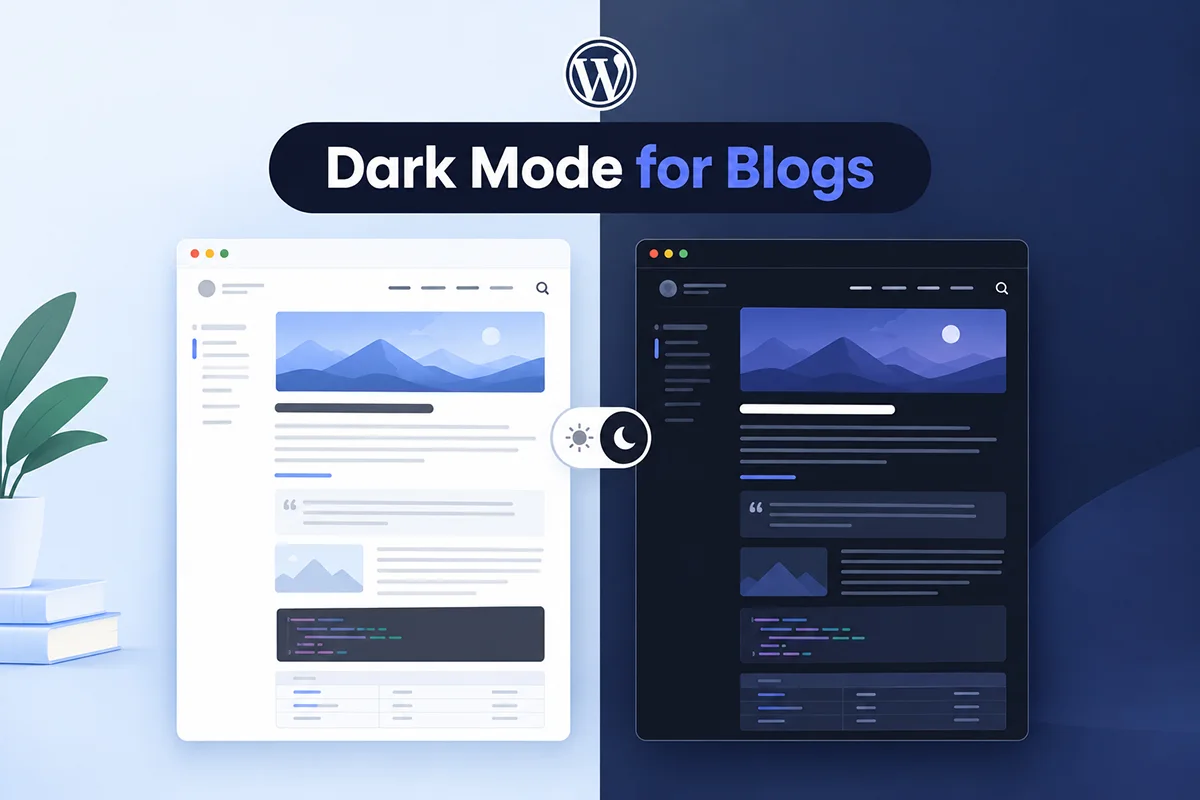
When using dark mode WordPress themes, the visual appeal and usability of your website can either be elevated—or completely fall apart—depending on how well your theme supports dark styling. While dark mode has become a modern design trend that improves accessibility and reduces eye strain, not every WordPress theme is built to handle it gracefully.
Many themes are hard-coded with light background colors, bright text, or incompatible layouts that don’t transition well when dark mode is enabled. This results in broken visuals, unreadable text, or inconsistent user experiences—especially if you’re using custom page builders like Elementor or Gutenberg.
That’s where tools like Darkify come in. With Darkify, you can add dark mode support to almost any theme and take full control over how your site looks in both light and dark modes. However, choosing a theme that’s already dark mode compatible makes everything smoother—both in design and performance.
In this post, we’ll explore the best WordPress themes for dark mode in 2026, focusing on those that look stunning when paired with Darkify. Whether you run a blog, eCommerce site, or agency portfolio, you’ll find dark-friendly WordPress themes that look beautiful and perform flawlessly.
Key Takeaways
- Choose a WordPress theme that offers strong customization and compatibility for dark mode.
- A complete dark mode experience should cover content, navigation, buttons, forms, images, and WooCommerce.
- Prioritize performance, accessibility, contrast, and mobile responsiveness when implementing dark mode.
- Give visitors control with OS-aware detection and a customizable manual toggle.
- Darkify lets you add dark mode to most WordPress themes without coding, with flexible customization and compatibility options.
2. What Makes a Theme Dark Mode Compatible?
When searching for dark mode WordPress themes, it’s not just about appearance—it’s about how well the theme’s structure adapts to color changes without breaking the user experience. A dark mode compatible theme goes beyond surface-level styling to offer flexibility, accessibility, and modern development practices.
Here are the key criteria that define a dark-friendly WordPress theme:
Uses Flexible CSS Variables or Global Styles
Themes that rely on CSS variables or a global style system (like in Gutenberg’s theme.json or Elementor’s global design settings) allow dark mode plugins like Darkify to override colors smoothly. This flexibility means fewer conflicts, easier customization, and better consistency across your site.
Maintains Strong Color Contrast
Good dark mode support requires more than just inverting colors. Themes should maintain WCAG-compliant color contrast, ensuring text remains legible against dark backgrounds. A well-designed theme will provide clean, readable typography and highlight colors that still “pop” in low-light conditions.
Compatible with Popular Page Builders
The best dark mode compatible themes work seamlessly with Elementor, Gutenberg, Brizy, and other page builders. This ensures that your layouts, widgets, and modules don’t display inconsistently or become unreadable when dark mode is activated.
Avoids Hardcoded Light Colors
Themes that hardcode light backgrounds or font colors (e.g., pure white #fff or light grays) can break when you enable dark mode. Dark-friendly themes use adaptable color schemes instead, allowing smoother toggling between light and dark appearances.
Doesn’t Break Layouts in Dark Mode
A truly compatible theme won’t just “look okay” in dark mode—it will retain layout integrity, proper spacing, and visual hierarchy. Elements like buttons, sections, and form fields must still feel cohesive, even after applying dark styles.
3. Top Picks: Best WordPress Themes for Dark Mode in 2026
If you’re hunting for dark mode WordPress themes that look stunning and work seamlessly with plugins like Darkify, here are two standout options in 2026 that consistently deliver in performance, flexibility, and dark mode compatibility.
1. Neve
Neve is a lightweight, builder-friendly WordPress theme that’s become a go-to for users who prioritize speed and design freedom. Built by ThemeIsle, it works flawlessly with page builders like Elementor and Gutenberg, making layout customization a breeze.
✅ Why it works well with Darkify:
Neve’s clean architecture and reliance on CSS variables make it a perfect match for Darkify. You can toggle dark mode globally without layout glitches or text contrast issues.
🎯 Dark Mode Highlights:
- Responsive dark-styled header and menus
- Retains typography sharpness on all screens
- Integrates with Darkify’s widget and section-level controls
📎 External resource: Neve Theme Official Site
🧲 See how Darkify enhances Neve →
2. Astra
Astra is one of the most popular WordPress themes—and for good reason. It’s highly customizable, SEO-friendly, and works out-of-the-box with major page builders.
✅ Why it’s dark mode compatible:
Astra supports global color and typography settings, which makes it easy for Darkify to apply custom dark styling site-wide without any hardcoded interference.
🎯 Dark Mode Highlights:
- Ideal for blogs, portfolios, and business sites
- Dark-friendly footer and sidebar support
- Compatible with WooCommerce dark mode setups
📎 External resource: Astra Theme Official Site
🧲 Check out Darkify in action on Astra →
3. GeneratePress
GeneratePress is a fan-favorite when it comes to performance-focused WordPress themes. Built with clean, lightweight code, it’s a fantastic foundation for any site—and even better when paired with a dark mode plugin.
✅ Why it shines in dark mode:
GeneratePress’s minimal styling and adherence to WordPress best practices make it one of the most dark mode compatible themes available today. It avoids hardcoded colors and uses modular CSS, allowing Darkify to take full control.
🎯 Dark Mode Highlights:
- Superb typography and readability in dark environments
- Sleek header/footer styling with Darkify toggle
- Seamless layout across all devices and builders
📎 External resource: GeneratePress Official Site
🧲 Check out Darkify in action on GeneratePress →
4. Blocksy
Blocksy is one of the few dark-friendly WordPress themes that ships with a built-in dark mode. But if you want more customization and dark toggle features, Darkify enhances it beautifully.
✅ Why it’s a great pair with Darkify:
While Blocksy has built-in dark styling, Darkify offers enhanced control over which users see dark mode (based on system preference, toggles, or scheduling). This allows you to go beyond just theme-level options.
🎯 Dark Mode Highlights:
- Built-in dark mode support
- Combine with Darkify for advanced toggles and section overrides
- Perfect for creatives, bloggers, and agencies
📎 External resource: Blocksy Theme Official Site
🧲 See how Darkify upgrades Blocksy →
5. The7
The7 is a powerful multipurpose WordPress theme known for its flexibility and built‑in design options. When paired with Darkify, The7 becomes a dark‑friendly option without much setup.
Why it works well with Dark Mode
- Has many layout options and granular design settings that Darkify can enhance
- Clean integration: Darkify toggle fits smoothly into The7’s styling and header menus
- Supports major builders so dark mode doesn’t break custom sections
Dark Mode Highlights
- Toggle switch can be added into The7’s header or footer via Darkify
- Colors, buttons, links, and hover states remain readable in dark view
- Performance stays solid thanks to The7’s optimized framework
📎 External resource: The7 Theme Official Site
🧲 See how Darkify upgrades The7 →
6. OceanWP
OceanWP is already well known for its flexibility and theme options; it pairs extremely well with Darkify to give you a polished dark mode experience.
Why it works well with Dark Mode
- OceanWP has strong theme customization (headers, footers, mobile nav) which Darkify uses to apply consistent dark styles
- Toggle, color scheme, and image/logo handling integrate nicely without layout breaks
- Great responsiveness on mobile and tablet devices
Dark Mode Highlights
- You can quickly enable dark mode via Darkify → Controls
- Customization of toggle style, colors, and behavior is smooth and intuitive
- OceanWP’s dynamic elements (popups, menus) adapt well in dark mode
📎 External resource: Oceanwp Theme Official Site
🧲 See how Darkify upgrades OceanWP →
5. Tips for Matching Theme Styles in Dark Mode
Creating a seamless experience with dark mode WordPress themes isn’t just about flipping a switch. To truly make your website shine, especially when using a plugin like Darkify, it’s important to fine-tune how your theme behaves in the dark.
✅ Customize Background and Text Colors with Darkify
Darkify lets you override default theme colors by providing custom styling options:
- You can set a dark background color and adjust body, link, and heading text colors for ideal contrast.
- These styles can be applied globally or specifically to sections (like header, footer, content).
- For best results, use neutral darks (
#121212,#1a1a1a) with light grays (#e0e0e0) or soft whites for readability.
➡️ Pro Tip: Always test your color settings on both desktop and mobile views to ensure text remains visible and buttons stand out.
🎯 Match Your Brand’s Colors in Dark Mode
Maintaining your brand identity is key:
- Use your brand’s accent color (e.g., a button or link highlight) across both light and dark modes.
- Darkify supports custom CSS, so you can fine-tune hover effects, button states, and even section backgrounds to stay on-brand.
This ensures consistency across your site, whether users toggle light or dark mode.
🚫 Avoid Overly Dark Headers and Menus
Many dark-friendly WordPress themes look great—until the header or navigation becomes too dark and hard to read.
To fix this:
- Use semi-transparent backgrounds (
rgba(0, 0, 0, 0.8)) for headers to maintain structure without overwhelming the design. - Adjust menu item color and hover states manually using Darkify’s built-in controls or CSS variables.
When done well, this prevents layout clashes and keeps the user interface crisp and navigable in dark mode.
6. Testing Theme Compatibility with Dark Mode Plugins
Before you commit to a theme, it’s essential to test how well it plays with dark mode WordPress themes, especially if you’re relying on plugins like Darkify. Not all themes are built with dark mode in mind—so testing ensures your visitors get a polished and accessible experience.
🔍 How to Preview Dark Mode Using Darkify
The Darkify plugin lets you instantly toggle dark mode on your site—even if your theme doesn’t include native dark mode support. To test:
- Install Darkify (Free or Pro).
- Turn on the frontend dark mode toggle.
- Browse through your site and switch to dark mode to inspect:
- Typography
- Background overlays
- Borders and boxes
- Interactive elements (e.g., buttons, links, sliders)
If something looks off, Darkify’s built-in styling options or custom CSS controls can help you fix it quickly.
👉 Check out how to install Darkify if you haven’t already.
🎯 Tools to Check Color Contrast
Even if a layout looks fine, it may not meet accessibility standards. Use online tools like:
- WebAIM Contrast Checker – enter your text and background colors to ensure contrast ratios meet WCAG 2.1 standards.
- Chrome DevTools – Inspect elements and toggle between dark/light modes in browser emulation.
- ColorZilla (Chrome Extension) – Grab hex codes directly from your site to test contrast.
These tools help you guarantee readability for all users, including those with visual impairments.
✅ Key Elements to Inspect in Dark Mode
Here’s a checklist of components you should always test when evaluating dark mode compatible themes:
- Headings: Are they clearly visible and consistent with your branding?
- Buttons: Do call-to-action buttons stand out in dark backgrounds?
- Menus: Are dropdowns, hover states, and sticky headers readable?
- WooCommerce Product Grids: If you’re running a shop, check product cards, pricing labels, and “Add to Cart” buttons for visibility.
🔁 Repeat these tests on mobile and tablet views, as some themes apply different styles per device.
7. 🔌 Why We Recommend Darkify for Any Theme
If you’re exploring dark mode WordPress themes, there’s one tool we always recommend—Darkify. Whether you’re using a simple blog theme or a feature-packed builder like The7 or OceanWP, Darkify helps you unlock beautiful, consistent dark mode styling without headaches.
⚡ Simple Toggle Options
Darkify comes with a clean, user-friendly dark mode toggle switch. You can place it anywhere on your site—header, footer, sidebar, or even floating. Your visitors can switch between light and dark modes instantly.
- ✅ Works without coding
- ✅ Choose between icon styles, positions, and animations
- ✅ Automatically remembers the visitor’s last choice
🚀 Works Out of the Box
Unlike other solutions that require CSS tweaks or child themes, Darkify is plug-and-play.
- No need to rewrite your theme
- Instant dark mode across your pages
- Supports both frontend and admin dashboard
This makes it the perfect companion for dark-friendly WordPress themes, even if they weren’t built with dark mode in mind.
🎨 Pro Version Unlocks Advanced Styling
For power users and web designers, the Pro version of Darkify gives full control over:
- Text and background color overrides
- Heading and button styles
- WooCommerce product grid appearance
- Theme-specific customizations
It’s perfect for branding your dark mode experience to match your site’s personality.
🧪 Fully Tested with These Popular Themes
Darkify is tested and optimized for all the themes we listed above:
- ✅ Neve (Darkify + Neve Theme)
- ✅ Astra (Darkify + Astra)
- ✅ GeneratePress (Darkify + Generatepress)
- ✅ Blocksy (Darkify + Blocksy)
- ✅ The7 (Darkify + The7 guide)
- ✅ OceanWP (Dark mode in OceanWP guide)
These are themes that look good with Darkify right out of the box, and the plugin adapts beautifully to different layouts, builders, and header/footer structures.
✅ If your theme or use case isn’t listed, you can still try Darkify. It adapts to most modern themes out of the box.
8. 🚀 Conclusion: Bring Any WordPress Theme to the Dark Side
Picking the right theme is crucial when designing for dark mode. Not all themes handle it gracefully—but the dark mode compatible themes listed above do a fantastic job with minimal tweaks.
Pairing them with a powerful plugin like Darkify (free or Pro) makes the process effortless. You get design control, responsive dark styling, and a better user experience—without editing theme files.
🎯 Ready to try dark mode on your site?
- 🌐 Explore the plugin: DarkifyWP.com
- 💾 Download free: Darkify on WordPress.org