1. Introduction: Why WordPress Dark Mode Plugins Matter in 2026
WordPress dark mode plugin options have become essential in 2026, as user expectations around comfort, accessibility, and modern design continue to rise. What was once a nice-to-have feature is now a core UX upgrade that many visitors actively look for when browsing websites.
The growing preference for dark mode is driven by real benefits. Dark interfaces reduce eye strain, improve readability in low-light environments, and create a more focused browsing experience. From an accessibility standpoint, dark mode can help users with light sensitivity or visual fatigue, while performance-friendly implementations ensure site speed remains unaffected.
These benefits apply across the WordPress ecosystem. Whether you run a content-heavy blog, a professional business website, or a WooCommerce store, a reliable dark mode solution can improve engagement, encourage longer sessions, and enhance how users perceive your brand.
In this Ultimate Guide to WordPress Dark Mode Plugins, you’ll find everything you need to choose the right solution with confidence. We’ll break down key features, walk through setup steps, compare the best plugins, and share clear recommendations—so you can implement dark mode the right way in 2026.
Key Takeaways
- A good WordPress dark mode plugin should improve user experience without hurting performance, accessibility, or SEO.
- Theme and WooCommerce compatibility are essential to keep layouts, product pages, carts, checkout, and forms working correctly.
- Look for lightweight performance, custom colors, flexible toggle placement, and page-level exclusions when choosing a plugin.
- Darkify stands out in this comparison for its combination of customization, compatibility, WooCommerce support, and performance.
2. What Is a WordPress Dark Mode Plugin?
A WordPress dark mode plugin is a tool that adds an optional dark-themed interface to your website, allowing visitors to switch between light and dark views without affecting your site’s core design or performance. Instead of permanently changing colors, the plugin intelligently applies dark styles when dark mode is enabled—often through a toggle or automatic detection.
Unlike CSS-only approaches, a proper dark mode plugin handles much more than color inversion. While custom CSS can force a darker look, it often breaks layouts, ignores dynamic elements, and requires constant maintenance. A plugin-based solution manages styles dynamically, adapts to themes and plugins, and remains stable through WordPress updates.
Types of Dark Mode Supported by Plugins
Most modern WordPress dark mode plugins support multiple activation methods, including:
- Automatic (system-based) Dark mode activates based on the visitor’s device or operating system preference.
- Manual toggle Users can switch between light and dark modes using a visible toggle button on the site.
- Time-based or scheduled mode Dark mode turns on automatically during specific hours, such as evening or nighttime.
Why Plugins Are Safer Than Custom Code
Using a dedicated plugin is safer and more reliable than writing custom code because plugins:
- Maintain compatibility with WordPress updates
- Work seamlessly with popular themes and WooCommerce
- Offer built-in accessibility and performance optimizations
- Eliminate the risk of broken layouts or inconsistent styling
In short, a well-built WordPress dark mode plugin provides flexibility, stability, and ease of use—without the long-term maintenance burden of custom CSS solutions.
3. Key Benefits of Using a WordPress Dark Mode Plugin
Using a dedicated WordPress dark mode plugin isn’t just about changing colors—it delivers measurable improvements in usability, engagement, and performance across your site.
3.1 Better User Experience & Accessibility
One of the biggest advantages of dark mode is improved visual comfort. Dark backgrounds with properly balanced contrast help reduce eye strain, especially for users browsing at night or for extended periods.
Dark mode also improves readability, particularly for text-heavy pages like blog posts, product descriptions, and documentation. When implemented correctly, it supports accessibility by:
- Maintaining sufficient contrast ratios
- Supporting users with light sensitivity or migraines
- Creating a calmer, less visually aggressive interface
A quality WordPress dark mode plugin ensures these accessibility considerations are handled consistently—without breaking layouts or readability.
3.2 Improved Engagement & Conversions
A better visual experience leads directly to better engagement. Websites that offer dark mode often see:
- Longer session durations
- Lower bounce rates
- More page views per visit
Dark mode also contributes to a premium look and feel. Sleek, modern interfaces help build trust and professionalism—factors that strongly influence conversion behavior, especially on business websites and WooCommerce stores.
When users feel comfortable and confident, they’re more likely to explore, interact, and convert.
3.3 Mobile & Battery Efficiency
Mobile users benefit significantly from dark mode. On devices with OLED or AMOLED screens, dark interfaces can reduce battery consumption by a noticeable margin, making night browsing more practical and comfortable.
Dark mode also aligns perfectly with night browsing behavior, when users are more sensitive to bright screens. By accommodating these habits, a WordPress dark mode plugin enhances the mobile experience without compromising design or performance.
👉 For a deeper dive into eCommerce-specific advantages, see our guide on WooCommerce Dark Mode Benefits.
4. WordPress Dark Mode Plugin Requirements (What to Look For)
Not all dark mode solutions are created equal. If you want a reliable, future-proof WordPress dark mode plugin, there are a few non-negotiable features to look for before installing anything on your site.
A quality plugin should be:
- Lightweight & performance-friendly Dark mode should never slow your site down. The plugin should use minimal scripts and styles, with no impact on page load speed.
- Compatible with popular WordPress themes Full support for themes like Astra, Blocksy, Divi, Hello Elementor, Kadence, GeneratePress, and others ensures consistent styling across layouts.
- WooCommerce compatible This is critical for online stores. The plugin should work smoothly with product pages, carts, and checkout—while allowing exclusions where needed.
- Custom color controls One-size-fits-all dark mode rarely works. Look for options to adjust background colors, text contrast, links, and accents to match your brand.
- Flexible toggle placement options Whether it’s a floating button, header toggle, or corner placement, users should be able to switch modes easily without disrupting navigation.
- Page and post exclusions The ability to disable dark mode on specific pages—such as checkout, landing pages, or forms—prevents usability issues.
- Core Web Vitals–safe The plugin should follow performance best practices, ensuring it doesn’t negatively affect LCP, CLS, or INP scores.
Choosing a WordPress dark mode plugin that meets these requirements ensures you get all the UX and accessibility benefits of dark mode—without sacrificing speed, stability, or compatibility.
Here’s a polished, SEO-aware write-up for Section 5, written to naturally support internal linking and reinforce topical authority around WordPress dark mode plugins and WooCommerce dark mode:
5. WordPress Dark Mode Plugin Compatibility
Compatibility is one of the most important factors when choosing a WordPress dark mode plugin. A good plugin shouldn’t just “work” in isolation—it needs to integrate smoothly with your theme and any major plugins you rely on, especially WooCommerce.
5.1 Theme Compatibility
Modern WordPress sites are built on highly optimized themes, each with its own design system. A reliable dark mode plugin should adapt to these systems without breaking layouts, colors, or typography.
The best WordPress dark mode plugins work seamlessly with popular themes such as:
- Astra – Lightweight and performance-focused
- Blocksy – Modern, block-based with advanced styling options
- Divi – Builder-driven layouts with dynamic modules
- Kadence – Flexible design controls and header builder
- Hello Elementor – Minimal theme designed for Elementor users
- GeneratePress – Clean, fast, and developer-friendly
When a plugin is truly theme-compatible, dark mode styling remains consistent across headers, footers, content areas, and custom layouts—without requiring theme-specific hacks.
👉 See our step-by-step guides for enabling dark mode in each of these themes:
- How to add dark mode in Astra
- How to add dark mode in Blocksy
- How to add dark mode in Divi
- How to add dark mode in Kadence
- How to add dark mode in Hello Elementor
5.2 WooCommerce Compatibility
For online stores, WooCommerce compatibility is non-negotiable. A WordPress dark mode plugin should handle dynamic eCommerce elements with care, including:
- Product pages – Images, prices, variations, and reviews must remain readable
- Cart and checkout pages – Buttons, forms, and notices need high contrast
- Account pages – Dashboards and order details should stay usable in dark mode
This is where smart configuration matters. While dark mode improves UX overall, some stores prefer to exclude checkout or cart pages to avoid any potential friction during the purchase process. A good plugin makes these exclusions easy—without disabling dark mode site-wide.
👉 For a detailed walkthrough, see our guide on How to Add Dark Mode in WooCommerce, where we cover best practices, exclusions, and UX tips for online stores.
6. Best WordPress Dark Mode Plugins (Compared)
Choosing the right WordPress dark mode plugin comes down to more than just looks. You need strong theme compatibility, reliable WooCommerce support, flexible customization, and zero performance penalties. Below is a side-by-side comparison of the most popular options in 2026, so you can quickly see which plugin fits your site best.
Comparison Table: Top WordPress Dark Mode Plugins
| Plugin Name | Free / Pro | WooCommerce Support | Custom Colors | Toggle Options | Performance Impact | Best For |
|---|---|---|---|---|---|---|
| Darkify | Free + Pro | ✅ Full (with exclusions) | ✅ Advanced | ✅ Floating, header, corner | 🚀 Minimal | Best overall, WooCommerce, agencies |
| WP Dark Mode | Free + Pro | ⚠️ Limited | ✅ Basic | ✅ Floating | ⚠️ Moderate | Blogs, simple sites |
| Night Eye | Pro only | ⚠️ Partial | ❌ Limited | ❌ Browser-based | ⚠️ External script | Personal browsing, not sites |
| Dark Mode for WP | Free | ❌ No | ❌ Minimal | ⚠️ Basic | ⚠️ Moderate | Small blogs, experiments |
How to Read This Table
- WooCommerce Support matters if you run an online store—look for plugins that handle product pages, cart, and checkout properly.
- Custom Colors ensure dark mode matches your brand instead of forcing generic styles.
- Toggle Options affect usability; visible, flexible toggles perform best.
- Performance Impact is critical—dark mode should never hurt Core Web Vitals.
From a balance of features, performance, and flexibility, Darkify stands out as the most complete WordPress dark mode plugin, especially for WooCommerce stores and professional sites that care about UX, conversions, and speed.
7. In-Depth Plugin Reviews
To help you choose the right WordPress dark mode plugin, let’s take a closer look at the most popular options—what they do well, where they fall short, and who they’re best suited for.
7.1 Darkify (Best Overall WordPress Dark Mode Plugin)
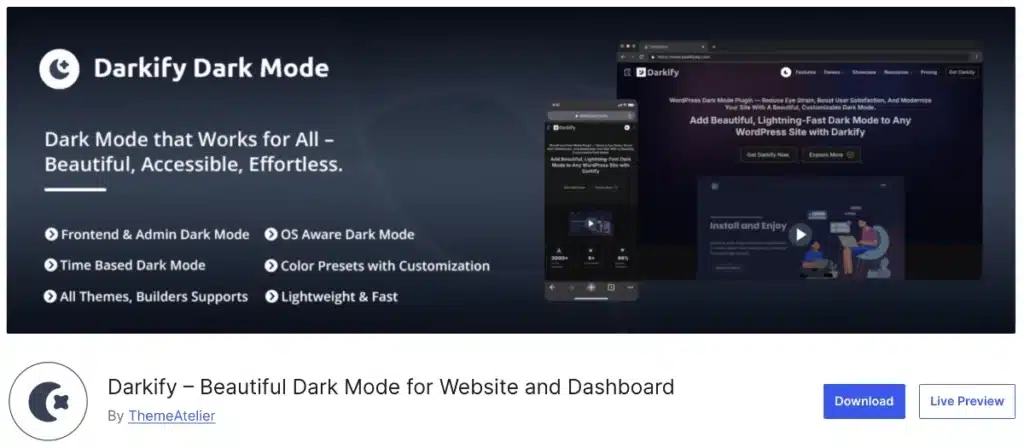
Darkify stands out because it delivers dark mode the right way: clean implementation, strong compatibility, and zero performance trade-offs.
Why it stands out
- Built specifically for real-world WordPress use cases
- Focuses on UX, accessibility, and performance—not gimmicks
- Works reliably across themes and plugins
WooCommerce support
- Full support for product pages, carts, and account pages
- Smart page exclusion options (e.g., disable on checkout if needed)
- Maintains contrast and CTA visibility for conversions
Theme compatibility
- Works seamlessly with Astra, Blocksy, Divi, Kadence, Hello Elementor, GeneratePress, and more
- No theme-specific hacks or CSS overrides required
Customization options
- Custom dark mode color palettes
- Flexible toggle placement (floating, header, corner)
- Icon, label, and style controls
Performance benefits
- Lightweight scripts and styles
- Optimized for Core Web Vitals
- No layout shift, no speed penalty
Best for
- WooCommerce stores
- Professional blogs and business sites
- Agencies managing multiple sites
- Anyone who wants dark mode without technical debt
7.2 WP Dark Mode
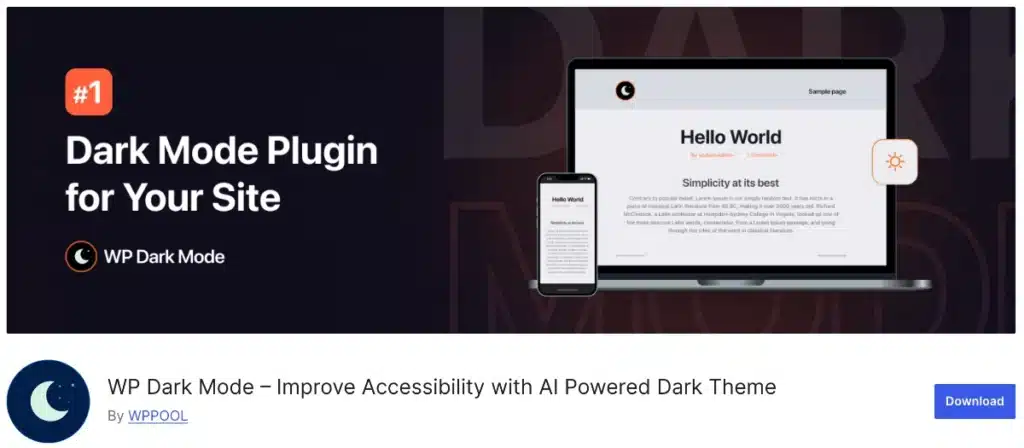
WP Dark Mode is one of the more well-known dark mode plugins and works fine for simpler setups.
Key features
- Light/dark toggle
- Basic color controls
- Automatic OS-based detection
Pros
- Easy to install
- Decent for blogs and static sites
- Active user base
Cons
- Limited WooCommerce handling
- Fewer customization options
- Can require additional tweaks for complex themes
Darkify vs WP Dark Mode
- Darkify offers better WooCommerce support
- Darkify provides more flexible exclusions
- Darkify is more performance-focused for larger sites
WP Dark Mode is a reasonable option for basic needs, but it can feel restrictive as your site grows.
7.3 Night Eye & Other Popular Plugins
Night Eye and similar tools take a very different approach.
Brief overview
- Browser-based or script-driven dark mode
- Often inverts colors automatically
Limitations
- Not true WordPress plugins
- No control over brand colors
- Can break layouts or images
- Adds external dependencies
Use cases
- Personal browsing preference
- Temporary viewing solution
- Not recommended for site owners or WooCommerce stores
Other lightweight dark mode plugins exist, but many lack:
- WooCommerce compatibility
- Theme awareness
- Performance optimization
Bottom Line
If you want a reliable, scalable WordPress dark mode plugin, Darkify offers the most complete solution—especially for WooCommerce and professional sites. Other plugins may work for simpler use cases, but they often trade flexibility or performance for convenience.
8. How to Set Up a WordPress Dark Mode Plugin (Step-by-Step)
Setting up a WordPress dark mode plugin is straightforward and usually takes only a few minutes. While exact options may vary slightly between plugins, the core setup process follows the same pattern.
Step 1: Install the Plugin
From your WordPress dashboard, go to Plugins → Add New, search for your chosen dark mode plugin, then install and activate it.
Alternatively, you can upload the plugin ZIP file if you downloaded it from an official source.
Step 2: Enable Dark Mode
After activation, navigate to the plugin’s settings page. Look for an option to enable dark mode site-wide or activate automatic detection based on user preferences.
Step 3: Add the Dark Mode Toggle
Most plugins allow you to add a visible toggle so visitors can switch between light and dark modes.
Common placement options include:
- Floating button
- Header or navigation area
- Corner of the screen
Choose a placement that’s easy to find without interrupting the browsing experience.
Step 4: Customize Colors and Styles
Adjust dark mode colors to maintain proper contrast and brand consistency. This typically includes:
- Background colors
- Text and heading colors
- Link and button accents
Good customization ensures dark mode looks intentional—not like a color inversion.
Step 5: Test on Desktop and Mobile
Before going live, preview your site in both light and dark modes:
- Test on desktop, tablet, and mobile devices
- Check key pages like the homepage, blog posts, and product pages
- Confirm readability, contrast, and layout stability
Following these steps ensures your WordPress dark mode plugin is configured correctly and delivers a smooth, user-friendly experience across all devices.
9. WordPress Dark Mode Plugin for WooCommerce (Special Section)
Adding dark mode to a WooCommerce store requires more care than a regular blog or business site. WooCommerce pages are dynamic, conversion-focused, and heavily dependent on clarity—so dark mode needs to enhance the experience, not interfere with it.
Why WooCommerce Needs Special Handling
WooCommerce includes elements like product variations, pricing tables, stock notices, forms, and dynamic checkout fields. A basic dark mode implementation can accidentally reduce contrast, break layouts, or make critical actions harder to see if it isn’t designed specifically for eCommerce use.
That’s why choosing the right WordPress dark mode plugin for WooCommerce matters.
Checkout UX Considerations
The checkout process is the most sensitive part of any WooCommerce store. Even small usability issues can hurt conversions. When enabling dark mode, pay close attention to:
- Form field readability
- Button contrast (especially “Add to Cart” and “Place Order”)
- Error messages and validation states
Some stores prefer to keep checkout pages in light mode to avoid any potential friction—and that’s a perfectly valid strategy.
Best Practices for WooCommerce Dark Mode
To ensure a smooth shopping experience, follow these best practices:
- Exclude checkout pages if needed A good plugin lets you disable dark mode on checkout or cart pages while keeping it enabled elsewhere.
- Maintain strong contrast for CTAs Buttons, prices, and promotional badges should stand out clearly against dark backgrounds to guide users toward conversion.
Recommended Plugin: Darkify
For WooCommerce stores, Darkify is the most reliable option. It’s built with eCommerce compatibility in mind and offers:
- Full support for WooCommerce product, cart, and account pages
- Easy page-level exclusions for checkout
- Custom color controls to preserve CTA visibility
- Lightweight performance with no impact on Core Web Vitals
If your site runs WooCommerce, using a plugin that understands these requirements is essential—and Darkify delivers the flexibility and safety WooCommerce stores need when enabling dark mode.
10. Performance & SEO Considerations
A common concern among site owners is whether adding dark mode could negatively impact performance or search rankings. The good news is that dark mode itself does not harm SEO—and when implemented correctly, it can actually support better user engagement signals.
Does Dark Mode Affect SEO?
No. Search engines do not penalize dark mode. Google evaluates content, structure, performance, and accessibility—not color schemes. As long as your content remains readable and crawlable, dark mode has no negative effect on SEO.
In fact, improved user experience from dark mode can indirectly benefit SEO through:
- Longer session duration
- Lower bounce rates
- Better mobile usability
JavaScript & CSS Impact
Most WordPress dark mode plugins rely on lightweight CSS and minimal JavaScript to toggle styles. When built properly:
- Styles load efficiently
- Scripts execute only when needed
- No duplicate content or rendering issues occur
Avoid heavy scripts or browser-based overlays that inject external resources, as those can impact performance.
Core Web Vitals
A well-optimized WordPress dark mode plugin should be safe for Core Web Vitals:
- LCP (Largest Contentful Paint): No impact when styles are lightweight
- CLS (Cumulative Layout Shift): No layout shifting if toggles are positioned correctly
- INP: Minimal interaction delay when toggles are optimized
This is why choosing a performance-focused plugin matters.
Accessibility (WCAG Contrast Tips)
Dark mode must still meet accessibility standards. To stay WCAG-compliant:
- Maintain sufficient contrast between text and background
- Avoid pure black backgrounds with pure white text (soft contrasts work better)
- Ensure buttons, links, and form fields remain clearly visible
A good plugin gives you control over colors so accessibility is preserved in both light and dark modes.
11. Common Mistakes to Avoid
While dark mode can significantly improve user experience, it’s easy to implement it the wrong way. Avoiding these common mistakes will help ensure your WordPress dark mode plugin delivers real benefits without harming usability or performance.
Using CSS Hacks Only
Relying solely on custom CSS to force dark colors often leads to broken layouts, unreadable text, and ongoing maintenance issues. CSS-only solutions don’t adapt well to dynamic content, theme updates, or plugins like WooCommerce.
Ignoring Contrast
Dark mode isn’t just about darker backgrounds. Poor contrast between text, buttons, and backgrounds can make content hard to read and hurt accessibility. Always test color combinations to ensure clarity and comfort.
Forgetting Mobile Users
Many visitors browse on mobile devices, often in low-light environments. If dark mode isn’t optimized for smaller screens or touch interactions, you miss one of its biggest advantages. Always test on phones and tablets.
Breaking Checkout UX
For WooCommerce sites, checkout usability is critical. Dark mode should never reduce visibility of form fields, error messages, or call-to-action buttons. When in doubt, exclude checkout pages or fine-tune colors for maximum clarity.
Overloading Scripts
Some dark mode tools add unnecessary JavaScript or external resources that slow down your site. A lightweight, performance-focused plugin ensures dark mode enhances UX without affecting speed or Core Web Vitals.
12. Final Recommendation: Which WordPress Dark Mode Plugin Should You Choose?
After comparing features, compatibility, performance, and real-world use cases, one conclusion is clear: not all dark mode solutions are built the same. The right choice depends on how your site is structured and what you need dark mode to support.
Our Top Recommendations
- Best Overall: Darkify Darkify offers the most complete balance of usability, customization, and performance. It works reliably across themes, supports WooCommerce out of the box, and avoids the common pitfalls of heavier plugins.
- Best for WooCommerce: Darkify WooCommerce stores require special handling, and Darkify is built with that in mind. Page-level exclusions, strong contrast control, and checkout-safe customization make it the safest choice for online stores.
- Best for Elementor Users: Darkify For Elementor-based sites, Darkify integrates cleanly with layouts and widgets, allowing dark mode to enhance designs without breaking visual consistency.
The Bottom Line
If you want a WordPress dark mode plugin that’s flexible enough for blogs, powerful enough for WooCommerce, and lightweight enough for performance-focused sites, Darkify is the most reliable choice. It eliminates the need for custom code, works across modern themes, and gives you full control over how dark mode behaves.
For site owners who value stability, accessibility, and future-proof design, Darkify is the plugin that consistently delivers.
Frequently Asked Questions
Dark mode is no longer a niche feature—it’s a core part of modern web design. As user expectations continue to evolve in 2026, offering a flexible, accessible dark mode experience has become essential for WordPress sites of all types, from content blogs to high-traffic WooCommerce stores.
Throughout this guide, we’ve seen that the right WordPress dark mode plugin can significantly improve user experience, accessibility, engagement, and even conversions—without compromising performance or SEO. The key is choosing a solution that’s lightweight, theme-compatible, and built with real-world use cases in mind.
If you’re looking for a reliable, future-proof option, Darkify stands out for its balance of customization, performance, and compatibility across themes and WooCommerce. Whether you’re just getting started with dark mode or refining an existing setup, implementing it properly now puts your site ahead of the curve.
Dark mode isn’t just about aesthetics—it’s about building a better, more comfortable experience for your users. And in 2026, that experience matters more than ever.