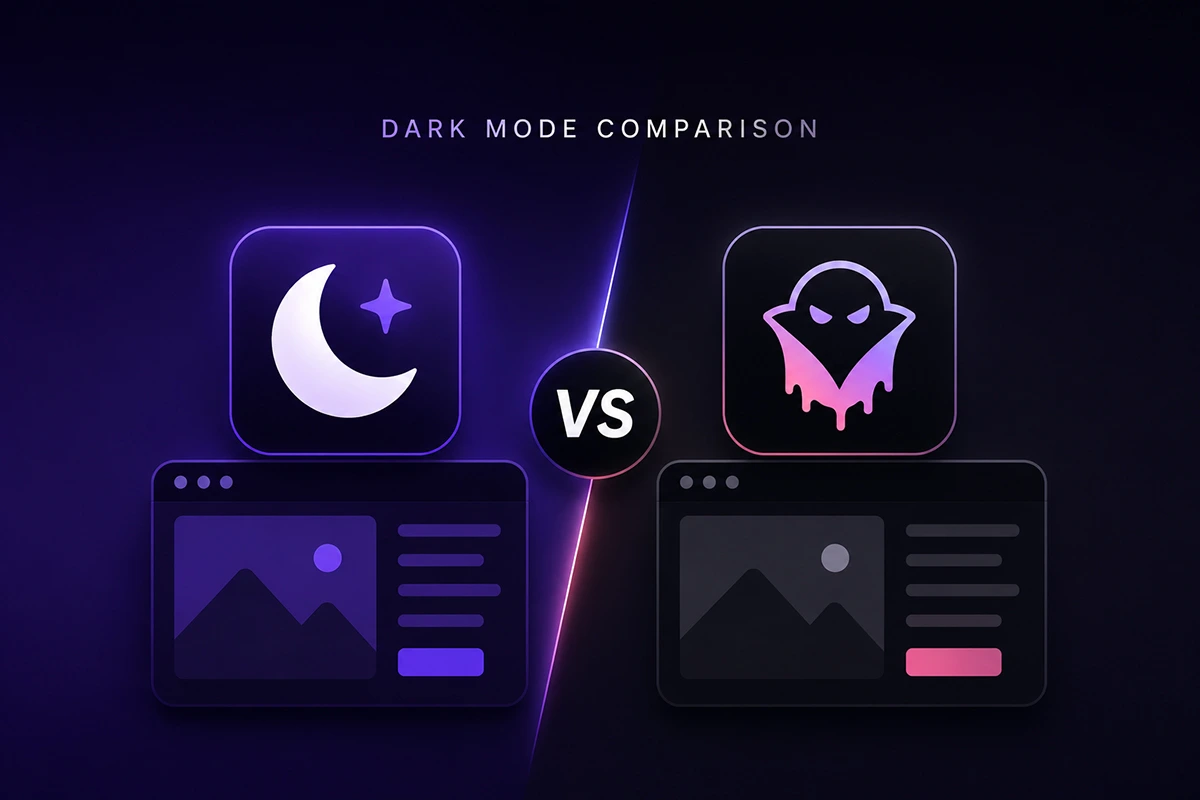
If you’re weighing Darkify vs Dracula Dark Mode, you’ve already done the hard part: narrowing a crowded WordPress dark mode plugin comparison down to two serious options. Full disclosure up front: we build Darkify. So instead of pretending to be neutral, we’ll do something more useful — walk through every feature honestly, tell you where Dracula genuinely shines, and let you decide.
One thing you should know before we compare a single feature: as of this writing (July 2026), Dracula Dark Mode is listed as closed on WordPress.org. The directory closed on January 27, 2026, citing a guideline violation, so new installs from the plugin repository aren’t currently possible. Existing installations keep working, and closures are sometimes temporary — but if you’re choosing a plugin today, availability matters as much as any feature.
Key Takeaways
- Darkify covers more surfaces: frontend, admin dashboard, and — uniquely — the Gutenberg and Classic editors get their own dedicated dark mode.
- Darkify’s free version is more generous: 8 color presets, image and video brightness/contrast/grayscale controls, OS-aware switching, time-based scheduling, and a keyboard shortcut — all free.
- Dracula’s standout strengths are real: its AI-driven color generator, usage analytics, and toggle builder are features Darkify doesn’t match today.
- Availability is the deciding factor in 2026: Dracula Dark Mode has been closed on WordPress.org since January 27, 2026, while Darkify (5-star rating, version 1.5.5) is actively maintained and tested up to WordPress 7.0.1.
- Dark mode isn’t a niche request: in a 2020 Android Authority poll of roughly 2,500 users, 81.9% said they use dark mode on their phones.
Darkify vs Dracula Dark Mode: Quick Verdict Table
Short on time? Here’s the whole comparison in one table. We’ll unpack each row below.
| Category | Darkify (ThemeAtelier) | Dracula Dark Mode (SoftLab) |
|---|---|---|
| Availability (July 2026) | Active on WordPress.org, v1.5.5 | Closed since Jan 27, 2026 |
| Frontend dark mode | Yes, 8 color presets are free | Yes, 3 presets free (8+ Pro) |
| Admin dashboard dark mode | Yes | Yes, with per-user-role control |
| Editor dark mode (Gutenberg + Classic) | Yes — dedicated editor mode | No dedicated editor mode |
| Toggle designs | Multiple free, 16+ Pro, Pulse effect | 2 free, 14+ Pro, custom toggle builder |
| Automation | OS-aware + time scheduling + Ctrl+Alt+D | OS-aware + Ctrl+Alt+D |
| Media handling (free) | Brightness, contrast, grayscale controls | Basic: replacement features in Pro |
| AI color generation | No | Yes — dynamic color generator |
| Usage analytics | No | Yes |
| WooCommerce + multisite | Yes, both | Partial |
| Our verdict | Best overall pick in 2026 | Strong feature set, availability risk |
Setup and Ease of Use: Which Gets You to Dark Mode Faster?
Both plugins were built for non-developers, and that shows. Install, activate, and a floating dark mode switch appears on your site with sensible defaults — no code, no theme edits. On this one, honestly, it’s close to a tie in design philosophy.
The practical difference in 2026 is the install path itself. Darkify installs in one click from the WordPress.org plugin directory, and every setting lives in a single settings panel with a live preview of your changes. Dracula’s onboarding was similarly smooth, but with its directory listing closed, you can’t currently install it the normal way — which turns a two-minute setup into a workaround.
Verdict: Tie on design, Darkify on practicality. If you can’t install a plugin from your dashboard, ease of use is theoretical.
Frontend Dark Mode and Color Presets
This is where the free-tier gap is easiest to measure. Darkify ships 8 color presets in the free version, so you can match your dark palette to your brand without paying or fiddling with custom colors. Dracula gives you 3 presets free and reserves its larger preset library (8+) for Pro.
Now for the honest part: Dracula’s AI-driven dynamic color generator is genuinely clever. Instead of applying a fixed preset, it analyzes your existing colors and generates a dark equivalent. When it works well, it saves real time on sites with unusual palettes. We took a different route with Darkify — hand-tuned presets plus fine-grained controls — because predictable output is easier to trust across thousands of different themes. But if auto-generated palettes appeal to you, that’s a legitimate point for Dracula.
Verdict: Darkify for free-tier value and predictability; Dracula for AI-assisted color generation.
Admin Dashboard and Editor Dark Mode: Darkify’s Biggest Differentiator
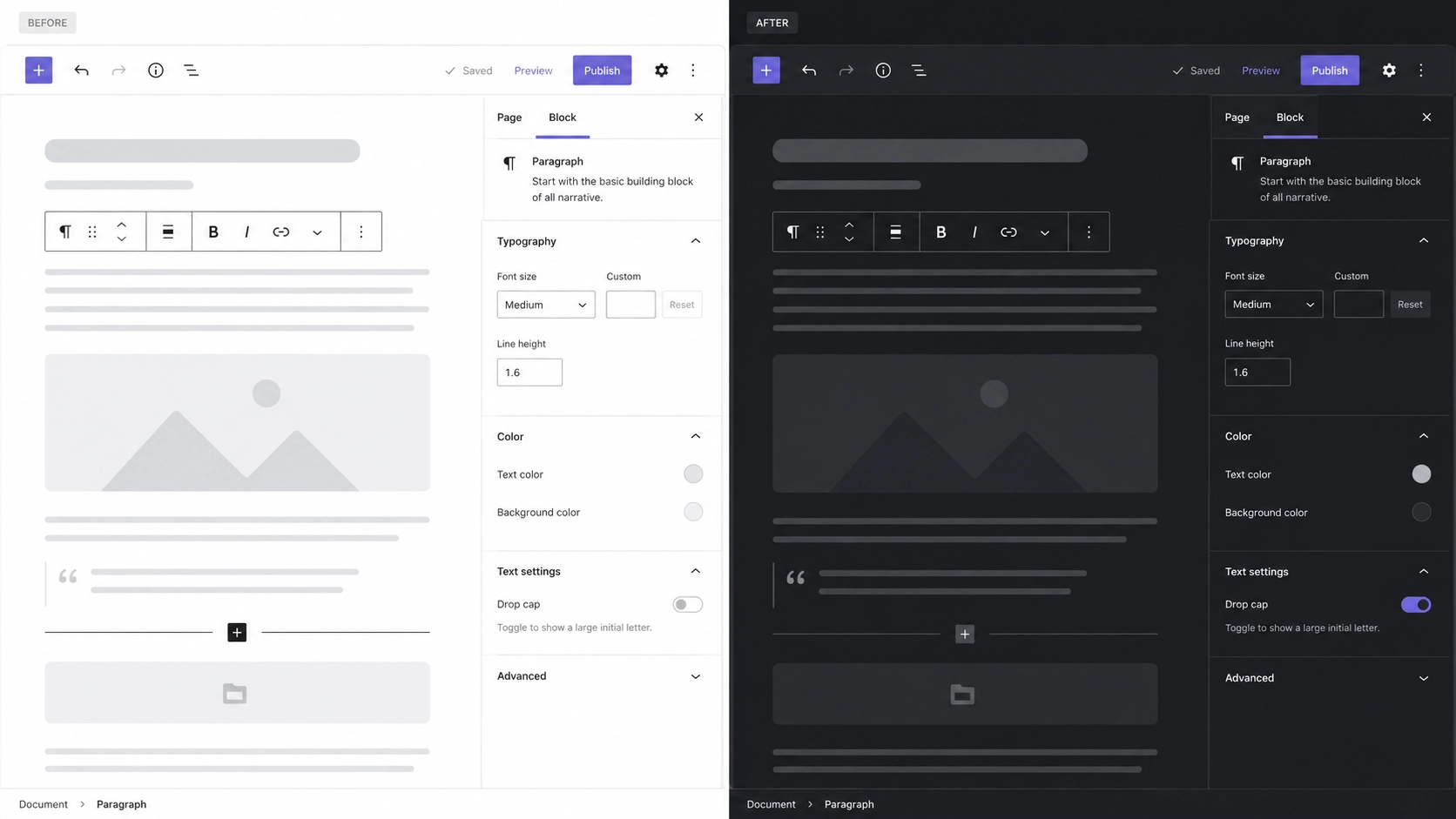
Both plugins can darken the WordPress admin dashboard. Dracula adds a nice touch here: admin dark mode can be enabled per user role, so your editors can work in dark mode while clients see the standard dashboard. Credit where it’s due.
But here’s the question we kept hearing from our own users: what about the place you actually spend your hours — the editor? Generic admin dark mode often breaks down inside Gutenberg, leaving you with a blinding white writing canvas in an otherwise dark dashboard. That’s why we built Darkify with a dedicated editor dark mode for both Gutenberg and the Classic Editor, styled specifically for the editing surface rather than inherited from general admin CSS. If you write or edit content for long stretches, this is the feature you’ll feel every single day.
Verdict: Darkify, clearly. Dracula’s role-based admin control is thoughtful, but editor-specific dark mode is the difference between a dark dashboard and a dark workflow. See the Darkify docs for how the editor mode works.
Toggle Switch Designs and Placement
Your visitors meet dark mode through one element: the switch. Darkify includes multiple free-floating switch styles, with 16+ designs and a draggable switch in Pro. You also get a Pulse attention effect to make the switch subtly noticeable to first-time visitors, plus mobile-specific controls — size, position, and visibility tuned separately for small screens.
Dracula counters with 2 toggle styles free, 14+ in Pro, and a custom toggle builder that lets you construct a switch to match your brand exactly. That builder is a genuinely flexible tool — more open-ended than picking from a gallery. For placement inside content, Darkify ships a dedicated Gutenberg block and an Elementor widget with styling controls, so you can drop a styled switch into a header, hero, or navigation area without CSS.
Verdict: Darkify for ready-made variety, mobile controls, and block/widget placement; Dracula if you’d rather build a fully custom toggle.
Automation: OS-Aware Switching, Scheduling, and Shortcuts
Why does automation matter? Because in a 2020 Android Authority poll of roughly 2,500 users, 81.9% said they use dark mode on their devices — and those visitors expect your site to respect that preference automatically, not ask them to hunt for a switch.
Both plugins handle the essentials: OS-aware detection (your site follows the visitor’s system preference) and the Ctrl+Alt+D keyboard shortcut. Darkify adds time-based scheduling in the free version — dark mode from, say, 7 PM to 7 AM — which is handy for blogs with a strong evening readership. Scheduling isn’t a headline feature in Dracula’s lineup, which centers on OS matching and its shortcut.
Verdict: Darkify, on the strength of free scheduling stacked on top of the shared essentials.
Media Handling: Images, Videos, and Iframes in Dark Mode
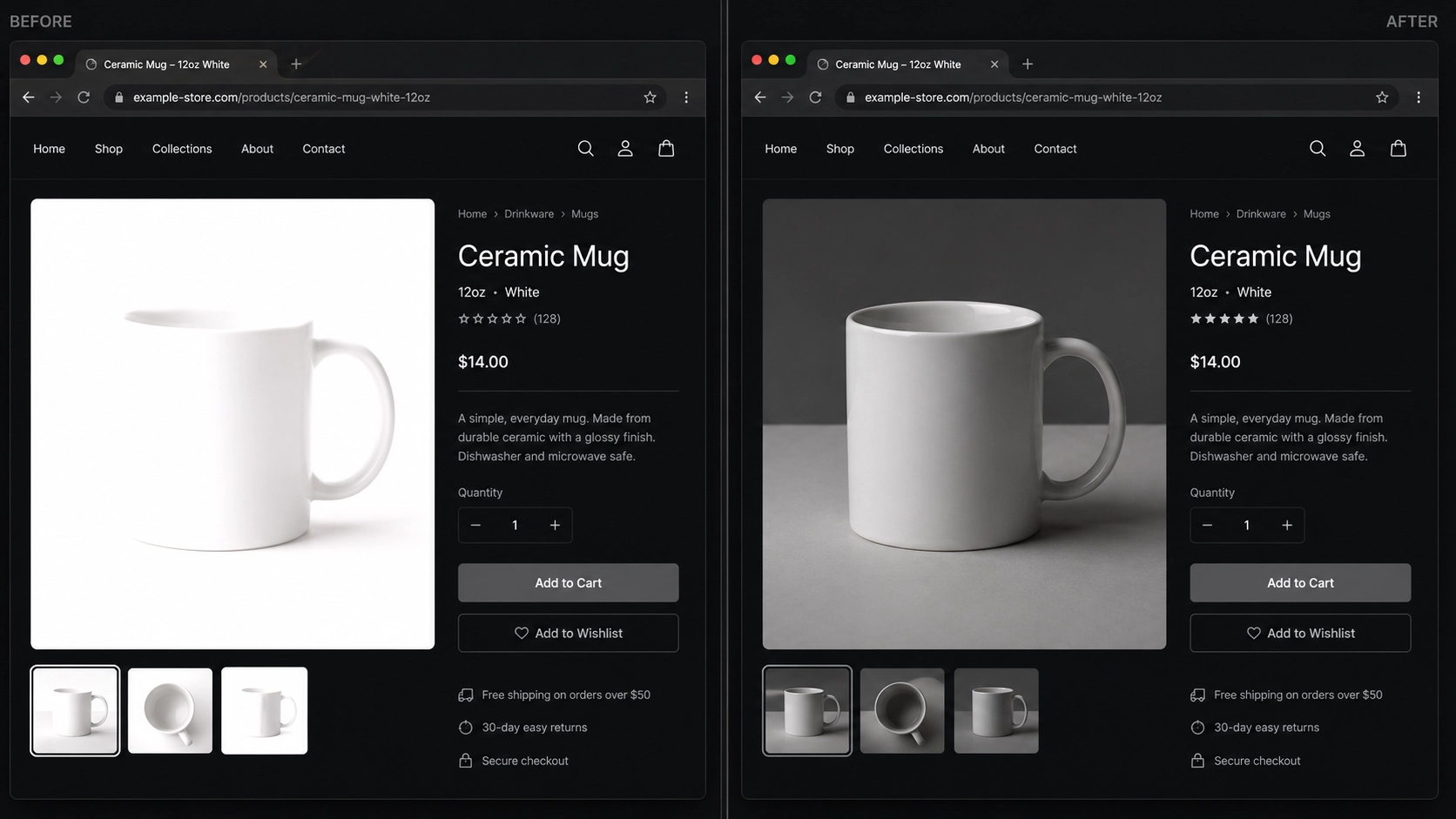
Dark mode’s ugliest failure is a blazing white image inside a dark page. Darkify’s free version includes brightness, contrast, and grayscale controls for images and videos, so bright media dims gracefully instead of glaring. Darkify Pro goes further with image inversion, image replacement (serve a different image in dark mode), and video replacement.
Dracula’s Pro tier offers image and video replacement too, and it works well. The gap is at the free level, where Darkify’s dimming controls have no real equivalent. One more Darkify-only capability: iframe dark mode sync, added in version 1.5.4, which keeps embedded content like forms and maps in step with your site’s mode — a small thing until you’ve watched a white embedded form punch a hole in your dark layout.
Verdict: Darkify, at both tiers — free dimming controls plus iframe sync tip it.
Page and Element Targeting
Sometimes you don’t want dark mode everywhere. A portfolio page with carefully art-directed imagery, a landing page with brand-locked colors — these deserve exceptions.
Dracula handles this with page-wise dark mode and a live edit widget that lets you click elements on the page and adjust how they render in dark mode. That live editing experience is one of Dracula’s best ideas, and we’ll say so plainly. Darkify Pro approaches the same problem with allow/disallow rules for pages, posts, and individual elements, plus dark-mode-only custom CSS for surgical fixes. Rules scale better across large sites; live editing feels more immediate on a single page.
Verdict: Close call. Dracula for visual, page-by-page tweaking; Darkify for rule-based control and CSS-level precision across a whole site.
Performance: Does a Dark Mode Plugin Slow Your Site?
A dark mode plugin runs on every page load, so weight matters. We built Darkify performance-first: a small footprint, no heavy dependencies, and assets loaded only where they’re needed. Dark mode can even benefit your visitors’ hardware — a 2021 Purdue University study found that switching to dark mode at 100% brightness saves 39–47% battery power on OLED screens.
Dracula ships a dedicated performance mode that optimizes how its dark styles are applied, and it’s a sensible feature. We haven’t published head-to-head benchmarks of the two plugins, so we won’t invent numbers here — run your own before/after test with PageSpeed Insights on your actual theme. What we can say: neither plugin has a reputation for bloat, and both are lighter than the average page builder addon.
Verdict: Effectively a tie on architecture. Test on your own stack; the difference will be smaller than your slowest image.
Page Builder and Theme Compatibility
Darkify supports 15+ popular page builders, ships a native Elementor widget and Gutenberg block, and is WooCommerce-ready and multisite compatible, with settings import/export for moving configurations between sites — something agencies managing many client sites will appreciate. As of version 1.5.5, it’s tested up to WordPress 7.0.1.
Dracula’s compatibility story was solid too, including its own block and builder support. The concern is trajectory: its last update was version 1.3.4 in December 2025, tested up to WordPress 6.9.4, and the closure means no updates are flowing to existing installs. Compatibility isn’t a snapshot — it’s a promise about the next WordPress release. An unmaintained plugin breaks that promise eventually.
Verdict: Darkify, mostly on maintenance momentum rather than any single integration.
Free Version Value and Pricing: Which Dark Mode Plugin Gives You More?
For most site owners, the free tier is the product. Here’s what each free version actually includes:
| Free feature | Darkify | Dracula Dark Mode |
|---|---|---|
| Color presets | 8 | 3 |
| Toggle styles | Multiple | 2 |
| OS-aware switching | Yes | Yes |
| Time-based scheduling | Yes | — |
| Keyboard shortcut | Yes | Yes |
| Image/video dimming controls | Yes | — |
| Editor dark mode (Gutenberg + Classic) | Yes | — |
| Settings import/export | Yes | — |
On the paid side, Darkify Pro adds 16+ switch designs, the draggable switch, image inversion and replacement, video replacement, dark-mode-only custom CSS, and page/post/element allow-disallow rules. Dracula Pro adds its expanded presets, 14+ toggles, the toggle builder, reading mode, and usage analytics. Those analytics deserve a genuine nod: knowing what share of your visitors actually use dark mode is data Darkify doesn’t collect today. Current Darkify Pro plans are on our pricing page.
Verdict: Darkify for free-tier depth; Dracula Pro for analytics and reading mode if those are must-haves.
Which One Should You Choose?
Here’s the honest decision guide, scenario by scenario:
- You’re choosing a plugin today: Choose Darkify. It’s the practical answer while Dracula remains closed on WordPress.org — and for anyone searching for a Dracula Dark Mode alternative, it’s the closest feature match with several extras.
- You write or edit content daily: Choose Darkify. The dedicated Gutenberg and Classic Editor dark mode has no equivalent in Dracula.
- You want maximum value without paying: Choose Darkify — 8 presets, scheduling, media dimming, and editor dark mode are all free.
- You already run Dracula, and it’s working: No emergency. Existing installs keep functioning. But watch the listing — if it stays closed, plan a migration before a major WordPress release outpaces version 1.3.4.
- You need dark mode usage analytics or AI color generation: Those are Dracula’s genuine edges. If the listing reopens and those features are non-negotiable for you, it’s a defensible pick.
Frequently Asked Questions
Conclusion: Our Take on Darkify vs Dracula Dark Mode
The Darkify vs Dracula Dark Mode question comes down to this: Dracula built some genuinely innovative features — the AI color generator, the toggle builder, usage analytics — and we respect that work. But a plugin you can’t install, running a version frozen in December 2025, is a hard recommendation to make. Darkify gives you more in the free version: the only dedicated editor dark mode for Gutenberg and Classic, and an active roadmap — iframe sync in 1.5.4 being the latest example.
Try it yourself: install Darkify for free from WordPress.org, and if you want the full toolkit — draggable switches, image replacement, element-level targeting — explore Darkify Pro at darkifywp.com. Your night-owl readers will notice the difference tonight.
Sources
- WordPress.org, Darkify – Dark Mode & Night Mode plugin listing, retrieved 2026-07-14, https://wordpress.org/plugins/darkify/
- WordPress.org, Dracula Dark Mode plugin listing (closure notice), retrieved 2026-07-14, https://wordpress.org/plugins/dracula-dark-mode/
- Android Authority, dark mode usage poll results, 2020, retrieved 2026-07-14, https://www.androidauthority.com/dark-mode-poll-results-1090716/
- Purdue University, “How much battery does dark mode save?” (MobiSys 2021), retrieved 2026-07-14, https://engineering.purdue.edu/ECE/News/2021/dark-mode-may-not-save-your-phones-battery-life…