
Introduction
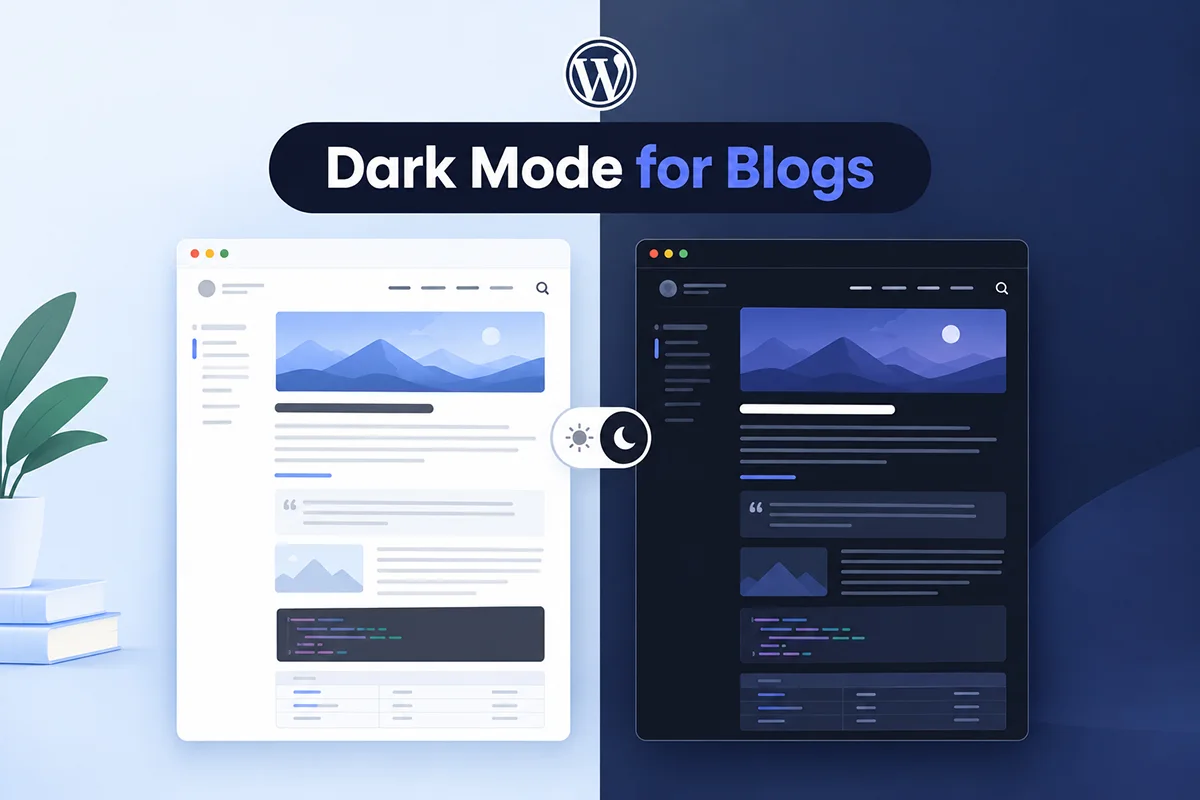
If you’re comparing dark mode in Astra vs Blocksy, you’re not alone. In 2026, dark mode has become more than just a design trend — it’s a user expectation. From improving readability and reducing eye strain to giving websites a sleek, modern look, dark mode is now an essential part of great web design.
Both Astra and Blocksy are leading WordPress themes known for their blazing speed, flexibility, and customization options. Astra dominates with its lightweight structure and plugin compatibility, while Blocksy shines with its modern block-based design and visual controls. But when it comes to enabling dark mode — which one handles it better?
That’s exactly what this guide explores. We’ll compare dark mode setup in Astra vs Blocksy, look at how easily each theme supports dark mode customization, and finally show how the Darkify plugin provides the perfect one-click solution for both.
By the end of this post, you’ll know which theme offers the best dark mode experience in 2026 — and how to implement it on your site effortlessly.
Key Takeaways
- Astra and Blocksy don’t offer a complete native dark mode toggle — Astra requires custom CSS or a plugin, while Blocksy mainly provides dark-friendly color palettes.
- Blocksy offers stronger built-in design controls, while Astra focuses on simplicity, performance, and broad plugin compatibility.
- Darkify provides a complete dark mode solution for both themes, including a customizable toggle, color controls, and page exclusions without custom coding.
- Performance remains a priority — both themes are lightweight, and the article positions Darkify as optimized to work without layout shifts or render-blocking issues.
- The best choice depends on your priorities, but pairing either Astra or Blocksy with Darkify provides a more complete and flexible dark mode experience.
Quick Overview of Astra and Blocksy
Before diving into the dark mode comparison, let’s look at what makes Astra and Blocksy two of the most popular WordPress themes in 2026.
🌀 Astra
Astra is known for being one of the fastest and most lightweight WordPress themes on the market. It’s trusted by developers, agencies, and freelancers who need a solid foundation for building client sites. Astra is compatible with all major page builders — including Elementor, Beaver Builder, and Gutenberg — and offers a straightforward approach to customization through the WordPress Customizer. Its strength lies in performance, stability, and scalability.
Check Dedicated Blog Post: The Ultimate Guide to Setting Up Dark Mode Astra Theme with Darkify Plugin
🎨 Blocksy
Blocksy, on the other hand, is a newer, more modern theme built from the ground up for the Gutenberg editor. It embraces a visual, block-based design system that feels intuitive and dynamic. Blocksy provides advanced color palettes, header builders, and real-time design previews — perfect for creators who love fine-grained control without heavy page builders.
Check Dedicated Blog Post: How to Add Dark Mode in Blocksy WordPress Theme Using Darkify
🧩 Design & User Experience
Both themes focus on flexibility and usability, but their approaches differ:
- Astra focuses on speed and simplicity — great for professionals who want clean, efficient builds.
- Blocksy leans into design richness and innovation — ideal for creators who value visual experimentation.
Next, we’ll see how these differences play out when setting up dark mode in Astra vs Blocksy.
Why Dark Mode Matters in 2026
Dark mode has become more than a visual preference — it’s a core usability feature that shapes how visitors interact with your website. Whether browsing late at night or spending long hours online, users now expect websites to offer a viewing experience that’s comfortable, accessible, and visually appealing.
Here’s why it matters:
- Eye comfort: Dark mode reduces glare and eye strain, especially in low-light environments.
- Accessibility: High-contrast designs help users with light sensitivity or visual impairments.
- Better UX: Many users associate dark interfaces with modern, premium design.
- Energy efficiency: On OLED and AMOLED devices, dark pixels use less power — extending battery life.
And the data speaks for itself: recent surveys show that over 80% of internet users prefer using dark mode when available, and nearly two-thirds actively look for it in websites and apps.
That’s why both Astra and Blocksy users are exploring dark mode options in 2026 — not just for aesthetics, but to meet audience expectations and improve engagement.
Comparison Overview – Astra vs Blocksy Dark Mode
When it comes to dark mode in Astra vs Blocksy, both themes take different paths. Astra leans on performance and simplicity, while Blocksy focuses on visuals and design flexibility. Let’s break down how they compare across key areas.
4.1 Setup Process
- Astra: The Astra theme doesn’t include a built-in dark mode. You’ll need to rely on custom CSS or install a plugin like Darkify to add dark mode functionality.
- Blocksy: Blocksy includes a color palette system that can mimic dark mode using darker tones, but it’s not a true toggle — users can’t switch between light and dark views easily.
- Verdict: Blocksy offers a quicker initial setup, but Darkify simplifies both themes, giving Astra and Blocksy users a one-click dark mode setup with a professional toggle.
4.2 Customization & Flexibility
- Astra: Provides solid color control through the WordPress Customizer, but lacks conditional options or advanced styling logic for dark mode.
- Blocksy: Offers advanced color palettes and global style management, letting users fine-tune their site’s look with ease.
- Darkify Compatibility: Both Astra and Blocksy integrate smoothly with Darkify, enabling full customization of colors, toggle design, and exclusions without editing code.
4.3 Toggle Design & Placement
- Astra: To add a toggle manually, users must edit the header or footer, which can be time-consuming.
- Blocksy: The header builder makes toggle placement easier, though there’s still no built-in dark mode switch.
- Darkify: Solves this with a universal toggle that works instantly with both themes — customizable placement, icon design, and color options included.
4.4 Performance Impact
Both Astra and Blocksy are known for their lightweight design and fast load times. The Darkify plugin is also optimized for Core Web Vitals, meaning it won’t affect your site’s performance.
- Page speed remains virtually identical with or without Darkify enabled.
- No layout shifts, no render-blocking issues — just seamless functionality.
4.5 User Experience & Compatibility
- Astra: Minimal UX disruption and strong compatibility with major plugins like Elementor, WooCommerce, and LearnDash.
- Blocksy: More visually polished by default with refined transitions and animations.
- Darkify: Works beautifully on both, ensuring a smooth, consistent dark mode experience across all devices.
💡 In summary: Blocksy gives you a head start with dark-friendly color palettes, while Astra keeps things simple and stable. But with Darkify, both themes achieve a complete, flexible, and high-performing dark mode setup that’s future-proof for 2026.
How to Add Dark Mode in Astra & Blocksy Using Darkify
Whether you’re using Astra or Blocksy, setting up dark mode with Darkify takes just a few minutes. Here’s how to do it for each theme:
🌙 For Astra Users
- Install and Activate Darkify
– From your WordPress dashboard, go to Plugins → Add New, search for Darkify, and click Install Now → Activate.
– Alternatively, download it directly from DarkifyWP.com. - Go to Dashboard → Darkify → Settings
– This is where you’ll manage all your dark mode preferences. - Enable the Dark Mode Toggle
– Flip the main switch to Enable Dark Mode. Darkify will automatically apply dark mode styling across your Astra theme. - Customize Button Placement, Colors, and Exclusions
– Choose where the toggle appears (top-right, bottom-left, or in the header).
– Adjust background, text, and link colors to match your branding.
– Exclude specific pages like checkout or landing pages if needed.
🌘 For Blocksy Users
- Install and Activate Darkify
– The process is the same as above — install it from your WordPress dashboard or manually via ZIP upload. - Configure the Global Color Palette
– Blocksy uses global color palettes for site styling. Make sure your palette complements Darkify’s dark mode scheme for smooth transitions. - Enable the Dark Mode Toggle and Test Across Pages
– Turn on dark mode in Darkify → Settings, and test your site on both desktop and mobile.
– The toggle will appear instantly, allowing users to switch between light and dark modes seamlessly.
Pros and Cons Summary
Here’s a quick comparison of how Astra, Blocksy, and Darkify stack up when it comes to dark mode setup and experience:
| Feature | Astra | Blocksy | With Darkify |
|---|---|---|---|
| Built-in Dark Mode | ❌ No | ⚠️ Partial (Palette Only) | ✅ Full |
| Toggle Button | ❌ Manual CSS | ⚠️ Custom Header | ✅ One-click |
| Customization | ⚙️ Moderate | 🎨 High | 💪 Full Control |
| Performance | 🚀 Excellent | 🚀 Excellent | 🚀 Excellent |
| Ease of Setup | ⚙️ Requires Plugin | ⚙️ Requires Plugin | ✅ Simple |
Both Astra and Blocksy are excellent foundations, but when it comes to complete dark mode functionality, Darkify elevates them to a whole new level.
Final Verdict – Which Handles It Better?
When comparing dark mode in Astra vs Blocksy, both themes bring strengths to the table:
- Blocksy offers more built-in design flexibility and dark-friendly color palettes, making it slightly easier to simulate dark mode right out of the box.
- Astra, however, shines with its clean structure, wider plugin compatibility, and faster overall performance — especially when paired with external tools.
But here’s the truth: with Darkify, both themes reach their full potential. You get a professional dark mode toggle, full customization, and flawless performance — all without writing a single line of code.
✨ Final Verdict:
Darkify + Astra or Blocksy = the best dark mode setup in 2026.
Ready to Add Dark Mode to Your Theme?
Transform your Astra or Blocksy site instantly with the power of one plugin.
Whether you’re a designer, developer, or site owner, Darkify makes it effortless to add dark mode — no coding, no complexity, just results.
👉 Download Darkify Free
👉 Upgrade to Pro for Advanced Features
Give your visitors the experience they expect in 2026 — sleek, accessible, and easy on the eyes.