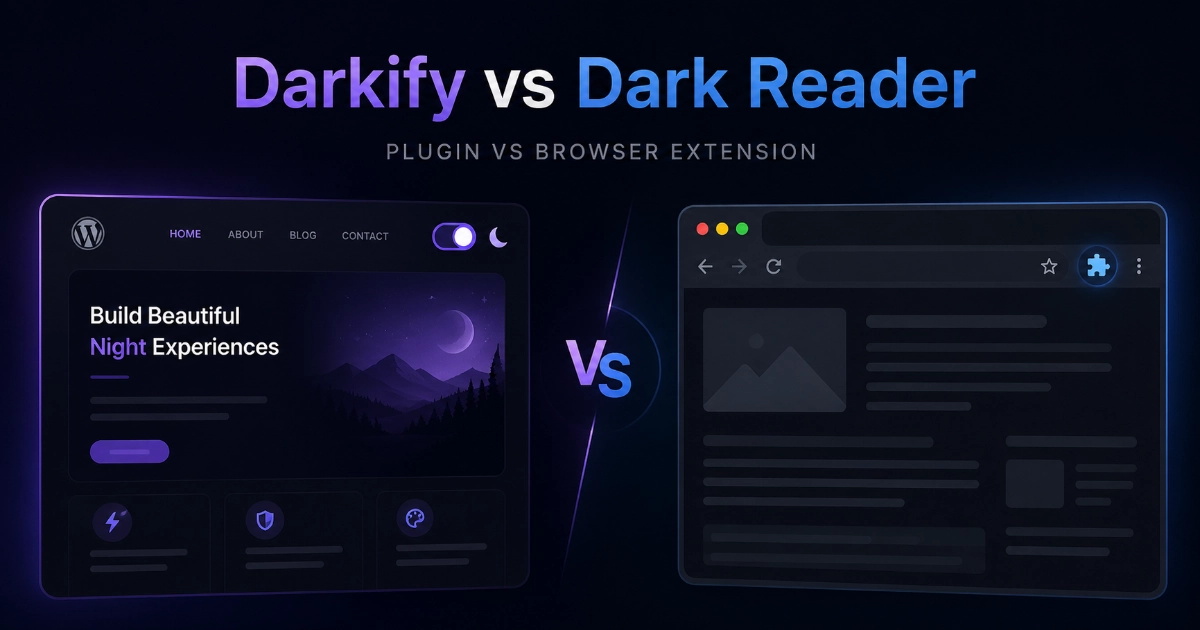
Here’s the short answer up front: Dark Reader darkens websites only in the browser of the person who installed it. A WordPress plugin like Darkify makes dark mode part of your website itself, so every visitor gets a toggle — no extension required on their end. That one difference decides almost everything else in this comparison.
Quick disclosure before we go further: Darkify is our WordPress plugin, built by ThemeAtelier. Dark Reader isn’t our competitor in the usual sense — it’s a browser extension we genuinely respect. This article exists to explain which tool fits which job.
So if you’ve been searching for Darkify vs Dark Reader, wondering whether a browser extension is enough for your WordPress site, you’re in the right place. This is less of a rivalry and more of a job description problem. Dark Reader is for the browser. Darkify is for the website.
The Quick Verdict
- Use Dark Reader if you want dark mode for your own browsing, across every site you visit
- Use Darkify if you want to add dark mode to WordPress for your visitors
- Dark Reader requires each user to install the extension in their own browser
- Darkify works from the WordPress site itself — visitors install nothing
- Dark Reader gives personal control to the visitor; Darkify gives site-level control to the owner
- Many people happily use both: Dark Reader personally, Darkify on their own website
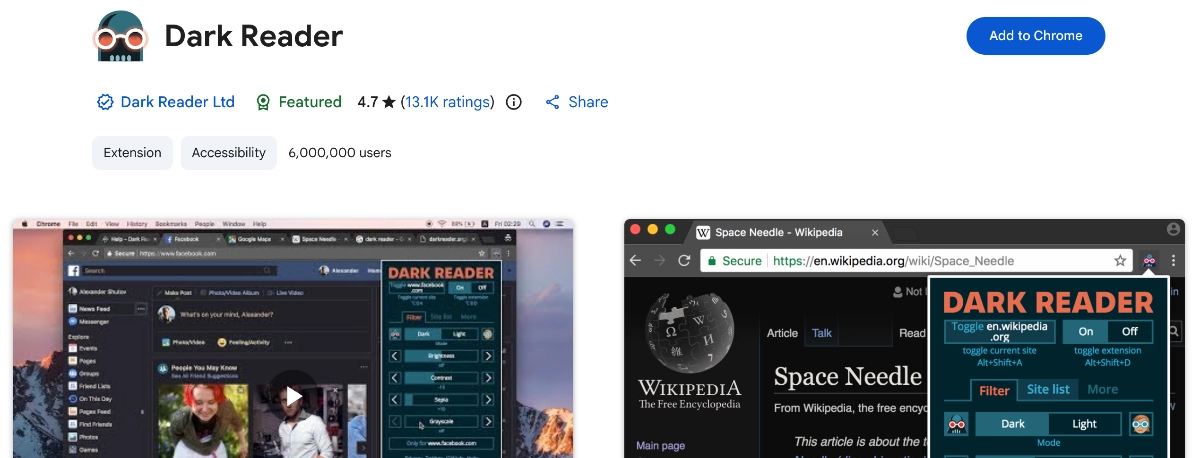
What Is Dark Reader?
Dark Reader is an open-source eye-care browser extension that’s been in development since 2014 and, as of July 2026, is trusted by more than 10,000,000 users. It’s free on Chrome, Firefox, and Edge, while the Safari / iOS / macOS version is a one-time App Store purchase of roughly $4.99. It’s also privacy-respecting: it doesn’t send user data anywhere.
Once installed, it darkens the websites you visit and gives you settings for brightness, contrast, sepia, grayscale, fonts, text stroke, and per-site enable/disable lists. It offers four theme generation modes: Dynamic (the best results, built on stylesheet analysis), Filter (fast CSS inversion, though it can lag on large pages and has some Firefox rendering issues), Filter+, and Static.
Dark Reader’s job is personal browsing comfort — dark mode for you, everywhere you go. It was never meant to be a publishing tool for site owners, and that’s not a flaw. It’s the design.
What Is Darkify?
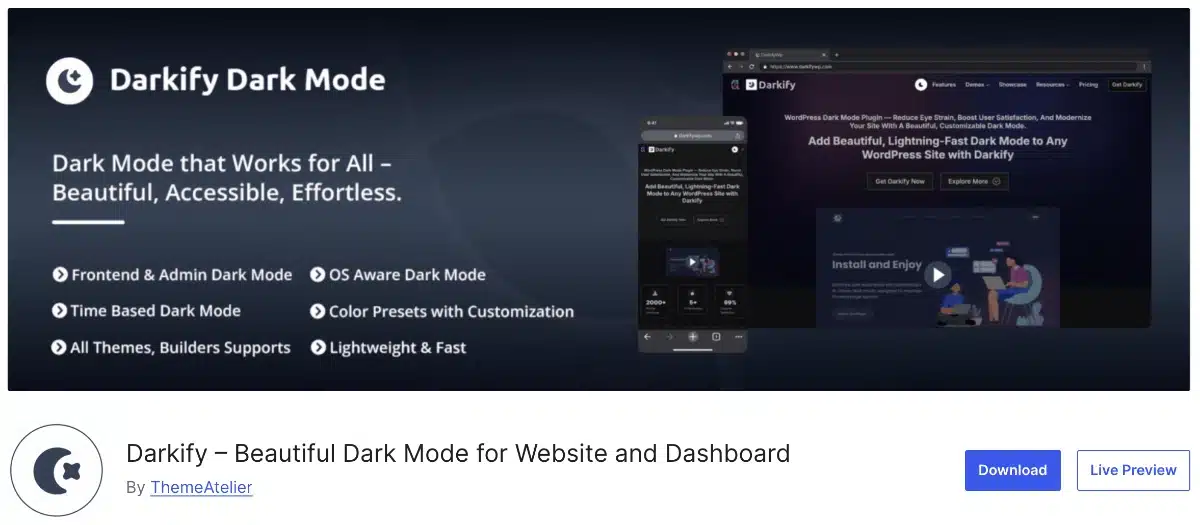
Darkify is a WordPress dark mode plugin we built at ThemeAtelier. As of July 2026, it’s at version 1.5.4 (released June 2026), tested up to WordPress 7.0, with 600+ active installs and a 5.0-star rating from 18 reviews.
Its job is the opposite of Dark Reader’s: it gives dark mode to all your site visitors. They can switch it on through a floating toggle (in multiple designs), a menu switch, a shortcode, a Gutenberg block, or an Elementor widget. You control the palette with 8 free color presets or full manual color customization, so the dark version of your site stays on brand.
Darkify also handles behavior: an OS-aware mode respects each visitor’s system dark/light preference, the plugin remembers each visitor’s choice, and free time-based scheduling can turn dark mode on automatically at night. And because you spend half your life in wp-admin, it includes admin dashboard dark mode plus editor dark mode for Gutenberg and the Classic Editor, controlled independently.
Dark Reader WordPress: Does It Work for Your Visitors?
This is the question that matters most, so let’s answer it plainly. Does Dark Reader work on WordPress? Yes — Dark Reader can darken a WordPress site for the person who has the extension installed. But no, it does not add dark mode to your WordPress site for all visitors.
If you install Dark Reader, you’ll see darkened websites in your own browser — including your own site. But your visitors don’t see any of that. Each visitor would need to install and enable Dark Reader themselves. Visitors on different browsers, mobile devices, or extension setups may see entirely different results, and you, the site owner, have no direct control over how their setup renders your pages.
There’s also the auto-inversion factor: automatic transformation can affect brand colors, logos, and images unpredictably, depending on the site. That’s perfectly fine for personal browsing — Dark Reader users know what they signed up for. But if you want to add dark mode to WordPress for visitors, with a consistent look you’ve actually approved, a browser extension can’t deliver that. Only something running on the site itself can.
Dark Mode Plugin vs Browser Extension: What’s the Real Difference?
The dark mode plugin vs browser extension question comes down to who installs the tool and who benefits from it. A browser extension is installed by an individual user and changes websites only for that user. A WordPress plugin is installed by the site owner and adds functionality to the site itself, for every visitor.
Here’s the analogy we keep coming back to: Dark Reader is like wearing tinted glasses — the world looks darker to you, and only to you. Darkify is like changing the lighting in your own shop, so every visitor who walks in can choose the setting they prefer.
Neither approach is wrong. They’re answers to different questions. Dark Reader is user-side. Darkify is site-side.
Side-by-Side Darkify vs Dark Reader Comparison
| Category | Darkify | Dark Reader | Better Fit |
|---|---|---|---|
| Tool type | WordPress plugin | Browser extension | Depends on the job |
| Who installs it | The site owner | Each individual user | — |
| Who sees dark mode | Every site visitor | Only the person with the extension | Darkify (for site owners) |
| Visitor install required | No | Yes — each visitor needs the extension | Darkify |
| Site-owner color control | 8 presets + full manual customization | None — rendering happens user-side | Darkify |
| Personal browsing control | No — it’s for your own site | Brightness, contrast, sepia, grayscale, fonts, text stroke | Dark Reader |
| Brand color control | Yes, manually configured | Auto-generated per user | Darkify |
| Toggle for visitors | Floating toggle, multiple designs | Not applicable | Darkify |
| Menu switch / shortcode / Gutenberg / Elementor | All included | Not applicable | Darkify |
| OS-aware behavior | Respects each visitor’s system preference | Configured by the user in their browser | Darkify (site-side) |
| Visitor preference memory | Yes, remembers each visitor’s choice | Not site-controlled | Darkify |
| Scheduling | Free time-based scheduling | Not site-controlled | Darkify |
| Admin dashboard dark mode | Built in | Only in your own browser | Darkify |
| Editor dark mode | Gutenberg + Classic Editor, independent | Only in your own browser | Darkify |
| Image controls | Brightness, contrast, grayscale (site-wide) | Brightness, contrast, grayscale (your browser) | Depends who’s adjusting |
| Video controls | Yes | Not listed | Darkify |
| Per-site control | Your site only, with element-level exclusions | Per-site enable/disable lists across the whole web | Dark Reader (personal browsing) |
| Mobile visitor experience | Toggle is part of the website itself | Depends on each visitor’s browser and setup | Darkify |
| Price | Free on WordPress.org; Pro adds extras | Free on Chrome, Firefox, Edge; ~$4.99 one-time on Safari/iOS/macOS; v5 paid model (~$9.99) aimed at corporate users | Tie — both generous |
| Best use case | Visitor-facing dark mode on your WordPress site | Personal dark mode across the entire web | Different jobs |
Why Site Owners Need a Plugin Even If They Love Dark Reader
We like Dark Reader. We just wouldn’t ask every visitor to install it. That’s the entire argument in two sentences.
Your visitors shouldn’t need a browser extension to read your site comfortably at night. A plugin lets you offer a toggle right on the page, keep the dark palette close to your brand, remember each visitor’s preference, and respect their OS-level dark/light setting automatically. It also supports the WordPress-specific placements you actually use: a menu switch, a shortcode, a Gutenberg block, an Elementor widget. Darkify adds admin and editor dark mode, scheduling, element-level exclusions, image and video controls, a dark scrollbar, iframe dark mode sync, multisite support, and a clean uninstall on top of that.
Worth noting: Dark Reader’s approach is influential enough that WP Dark Mode — another WordPress plugin — credits a modified Dark Reader script as the basis of its dark mode engine. That says a lot about Dark Reader’s importance. But for a site owner, the question is still different: do you want dark mode only in your own browser, or do you want to offer it to every visitor?
Brand Control: Why Auto-Inversion Isn’t Always Enough
Dark Reader’s superpower is that it darkens almost any site automatically — no one configures dark mode for millions of websites by hand. For personal use, automatic results are exactly what you want.
For a business website, though, automatic inversion may not match your brand. Depending on the site, logos, images, buttons, and backgrounds can come out looking different from anything you’d have chosen. Nobody is at fault — the algorithm simply doesn’t know your style guide.
Darkify puts those decisions back in your hands: 8 free color presets, full manual color customization, image brightness, contrast, and grayscale controls, video controls, and element-level exclusions for anything that should stay untouched. You make intentional choices instead of relying on browser-side transformation you can’t see or test for every visitor.
Mobile Visitors and Extension Limits
Dark Reader covers the major browsers and platforms described above, including a Safari / iOS / macOS version. But here’s the practical problem for a site owner: you can’t assume any given mobile visitor has Dark Reader installed, let alone configured the way you’d hope.
A WordPress plugin sidesteps the whole question. Darkify’s toggle is part of the website itself, so a visitor on a phone can tap it like any other button — no extension, no setup, no assumptions. When you can’t control what’s installed on your visitors’ devices, putting the feature on the site is the reliable path.
When Dark Reader Is All You Need
Let’s be genuinely fair here, because for a lot of people the answer is: you don’t need a plugin at all. Dark Reader may be all you need if:
- You only want dark mode for your own browsing
- You don’t own the websites you’re darkening
- You want dark mode across many websites, not just one
- You enjoy tuning brightness, contrast, sepia, grayscale, fonts, and per-site settings yourself
- You don’t need your site visitors to see dark mode
If your goal is personal eye comfort while browsing, Dark Reader is the right tool. You don’t need to install a WordPress plugin just for that. If only you need dark mode, Dark Reader is hard to beat.
When Darkify Makes More Sense
The moment your goal shifts from “dark mode for me” to “dark mode for my audience,” the dark mode plugin vs browser extension question answers itself. Darkify is the better fit when:
- You own a WordPress site and want to add dark mode to WordPress for visitors
- You want visitors to choose dark mode without installing anything
- You want a floating toggle, menu switch, shortcode, Gutenberg block, or Elementor widget
- You want OS-aware behavior and visitor preference memory
- You want free time-based scheduling for automatic dark mode at night
- You want admin dashboard and editor dark mode for your own workflow
- You want brand-safe color presets, manual customization, image/video controls, and element-level exclusions
- You run multiple sites and want multisite support with a clean uninstall
In short: if your visitors need dark mode, a browser extension is not enough.
Can You Use Darkify and Dark Reader Together?
Yes — and plenty of site owners probably should. Use Dark Reader personally for everything you browse, and install Darkify on your own WordPress site to offer visitors a dark mode toggle. They solve different problems, so there’s no either/or decision to agonize over.
One practical note: some of your visitors will be Dark Reader users themselves, with their own extension preferences layered on top of whatever your site does. So it’s worth testing your site a few ways — in a normal browser, with OS dark mode switched on, and optionally with Dark Reader enabled — to understand how different people may experience it. We won’t promise every theme, browser, and extension combination behaves identically, and you should be suspicious of anyone who does.
Final Verdict: Darkify vs Dark Reader
The Darkify vs Dark Reader question isn’t really “which one is better overall?” The real question is: who should see the dark mode?
If only you need dark mode, use Dark Reader. If your visitors need dark mode on your WordPress site, use Darkify. Dark Reader wins for personal browsing — over 10,000,000 users and a decade of development back that up. Darkify wins for visitor-facing WordPress dark mode, with a toggle, brand-safe colors, scheduling, and admin/editor controls that live on the site itself. They’re complementary tools, and using both is a perfectly sensible setup.
Darkify vs Dark Reader FAQ
Wrapping Up
Dark Reader is for the browser. Darkify is for the website. One gives you dark mode everywhere you go; the other lets you offer dark mode to everyone who visits you. Pick based on who needs to see it — and if the answer is “both me and my visitors,” use both.
Ready to give your visitors a dark mode toggle of their own? Grab Darkify free from WordPress.org, or learn more at DarkifyWP.com.