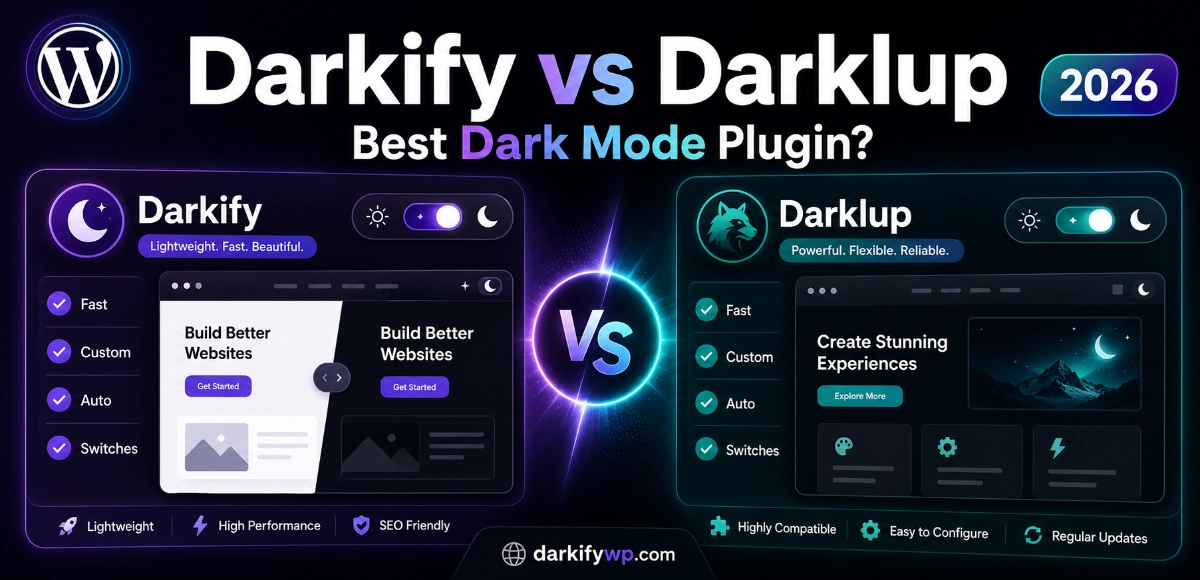
Darkify vs Darklup is the comparison every WordPress owner runs before adding dark mode in 2026 — and for good reason. Roughly 80% of users now want a dark mode option, and about 82% of mobile users actively prefer it (forms.app, Dark Mode Statistics, 2026). So picking the right plugin is no longer a nice-to-have. Both Darkify and Darklup are good. They’re also built around very different ideas, and that difference decides which one fits your site.
This is an honest comparison. We build Darkify, so we’ll tell you exactly where Darklup wins too. By the end you’ll know which plugin matches your goal, whether that’s the cleanest pure dark mode or a dark-mode-plus-accessibility bundle.
Key Takeaways
- Darkify is the lightest pick (under 550kb) with the most granular per-element control and a perfect 5.0 rating across 18 reviews (WordPress.org, 2026).
- Darklup bundles dark mode with 12 accessibility tools and has a larger install base (1,000+ vs 600+), making it a one-plugin accessibility play.
- Darkify’s yearly entry plan ($27.30) undercuts Darklup ($29), and Darkify offers truly unlimited sites where Darklup caps at 1,000.
- Choose Darklup for dark mode and accessibility in one. Choose Darkify for the best pure dark mode with maximum control and image handling.
Quick Verdict: Darkify vs Darklup at a Glance
Short on time? Here’s the snapshot. Darkify leads on build size, granular control, and entry price; Darklup leads on bundled accessibility tools and total installs. As of June 2026, Darkify carries a perfect 5.0 star rating on WordPress.org while Darklup has gathered more total ratings over a longer run (WordPress.org, 2026).
| Factor | Darkify | Darklup |
|---|---|---|
| Active installs | 600+ | 1,000+ |
| Rating | 5.0★ (18 reviews) | 42 ratings |
| Build size | Under 550kb | Not published |
| Tested up to (WP) | 7.0 | 6.9.4 |
| Entry price (yearly) | $27.30 / 1 site | $29 / 1 site |
| Lifetime entry | $59.50 / 1 site | $49 / 3 sites |
| Unlimited sites | Yes ($69.50/yr) | Capped at 1,000 |
| Accessibility suite | No (dark mode focused) | Yes (12 tools) |
| Key differentiator | Per-element control + image handling | Dark mode + accessibility bundle |
| Support | 24/7 | Priority email |
Want the full Darkify lineup against every rival? See our best WordPress dark mode plugins comparison.
How Fast Does Each Plugin Get Running?
Both plugins install in under two minutes from the WordPress dashboard, with a free lite version on WordPress.org and zero coding required. Darkify ships an OS-aware toggle that works the moment you activate it; Darklup does the same and adds its accessibility panel out of the box. Neither makes you touch a line of CSS to go live.
The difference shows up once you start tuning. Darkify’s settings are organized around dark mode behavior only, so the panel stays short. Darklup’s panel covers dark mode plus an accessibility toolkit, which means more options to scan before you find the one switch you wanted. When we set both up on a stock Astra install, Darkify’s narrower scope meant fewer clicks to a finished toggle, while Darklup rewarded the extra setup with accessibility features Darkify simply doesn’t have.
New to dark mode entirely? See live Darkify demos before you choose in this Darkify vs Darklup decision.
Which Dark Mode Features Matter Most?
On core dark mode features, the Darkify vs Darklup gap is narrow. Both cover the activation modes buyers expect in 2026: OS-based detection, time-based scheduling, and a default-dark option. Darkify adds a keyboard shortcut (Ctrl + Alt + D) and admin-dashboard dark mode; Darklup answers with its Dynamic Color Mode engine that analyzes colors per element across the page.
That’s the real philosophical split. Darklup’s Dynamic Color Mode tries to make a whole site look right automatically through smart color analysis. Darkify leans the other way: element-level targeting that lets you decide exactly how each piece renders in the dark. One favors automation, the other favors control.
According to both plugins’ 2026 documentation, Darklup’s Dynamic Color Mode auto-adjusts colors site-wide, while Darkify exposes per-element targeting plus image and video brightness controls (WordPress.org listings, 2026). If you want set-and-forget, Darklup’s engine is appealing; if you want to override the plugin anywhere it guesses wrong, Darkify hands you that switch.
How Much Customization Do You Actually Get?
Customization is where the Darkify vs Darklup difference gets practical. Darklup ships 15+ floating switch styles, 10+ color presets, an Elementor widget, and custom CSS support. Darkify matches the toggle styling and presets, then goes deeper with per-element CSS targeting so you can restyle individual components rather than the page as a whole.
Why does that matter? Most dark mode complaints aren’t “the site is too dark” — they’re “this one logo, badge, or pricing card looks broken.” Darkify’s per-element approach is built for exactly those edge cases. Darklup’s custom CSS can fix them too, but you’re writing the rules yourself rather than pointing and clicking.
How Does Each Plugin Handle Images and Media?
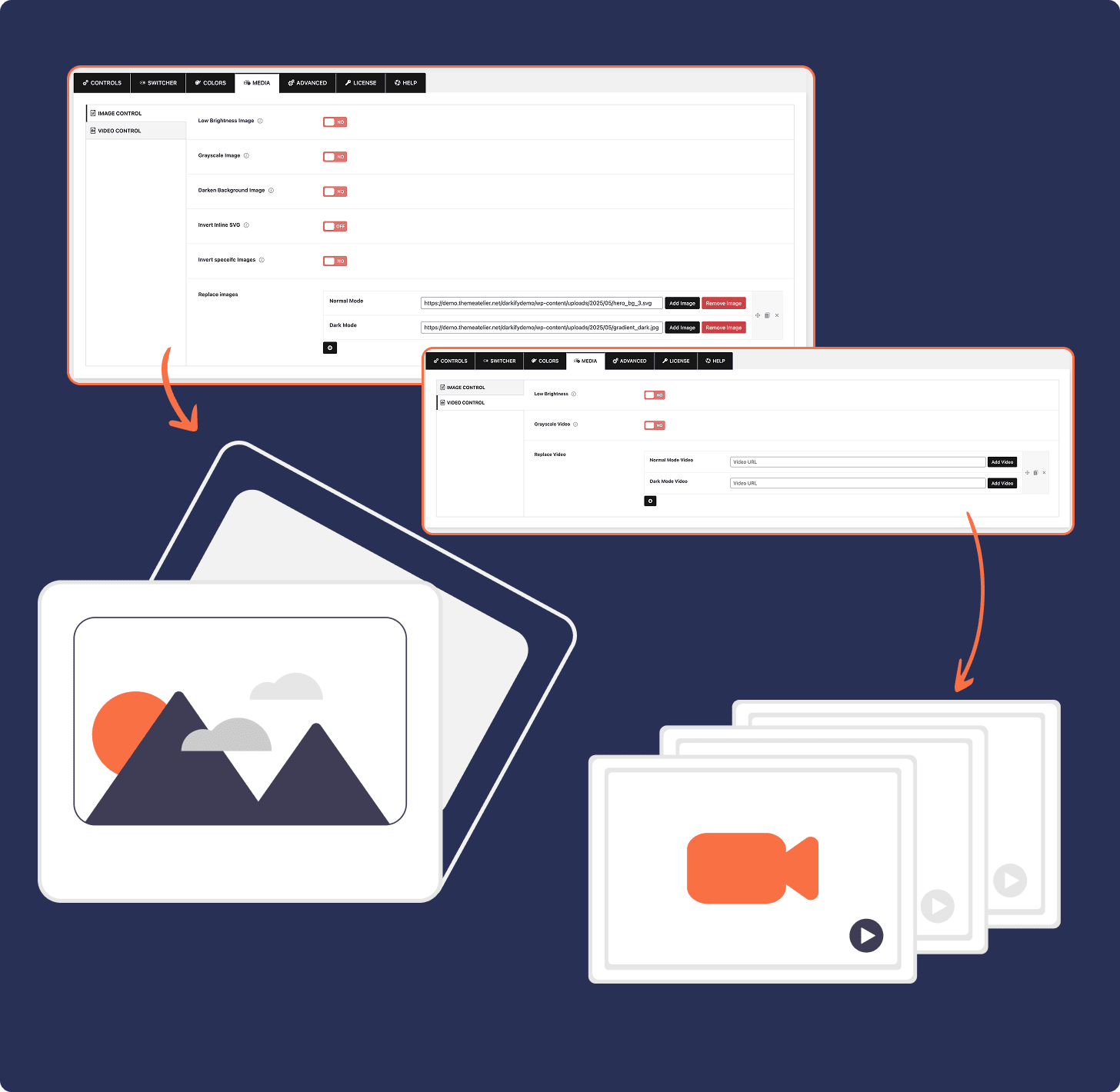
This is Darkify’s clearest strength. Darkify offers URL-based image inversion, dark-mode image swapping, and brightness plus grayscale controls for images and video, so glaring white graphics get tamed automatically in dark mode. Darklup handles media mainly through image replacement, which works but gives you fewer dials.
Why care? White-background PNGs, screenshots, and product photos are the number-one thing that “breaks” a dark theme. A plugin that can dim, grayscale, or swap those images per-URL solves the problem most dark mode setups quietly ignore. Darkify treats media as a first-class part of dark mode rather than an afterthought, and on image-heavy sites that’s often the deciding feature.
Running a store with lots of product imagery? See how Darkify handles dark mode for WooCommerce sites.
What About Accessibility Features?
Accessibility is the one part of the Darkify vs Darklup contest where Darklup clearly wins, and we won’t pretend otherwise. Darklup bundles 12 accessibility tools — contrast, bigger text, readable font, highlight links, stop animations, monochrome, font weight, align text, reading mask, and hide images among them — saving them to browser storage so preferences persist across visits. Darkify focuses purely on dark mode and does not include a general accessibility toolkit.
If accessibility compliance is on your roadmap, that bundle has real value. Darklup’s accessibility panel means one plugin instead of two, and the reading mask and text controls help visitors with low vision or reading difficulties. Just be clear on the trade: you’re adopting an accessibility suite, not only a dark mode plugin.
Darkify’s counter-argument is focus. By doing dark mode and nothing else, it keeps the build small and the settings simple — and you can pair it with a dedicated accessibility plugin if you need one. Bundle versus best-of-breed is a genuine choice here, not a clear win for either side.
How Precise Is Page and Element Targeting?
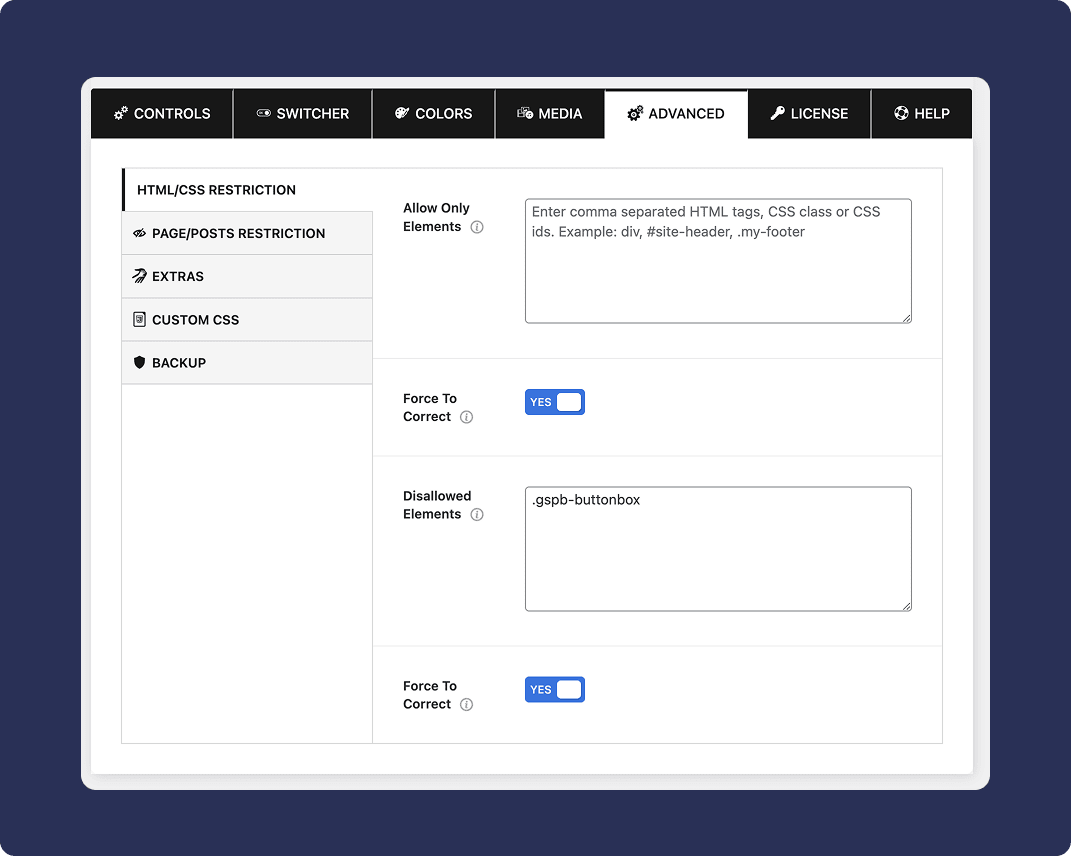
Darkify’s point-and-click element exclusion and per-page control are more granular than Darklup’s. You can exclude a specific element from dark mode, or tune behavior on a single page, without writing selectors by hand. Darklup leans on its automatic Dynamic Color Mode plus custom CSS for the same outcomes.
The practical upshot: when a client says “make dark mode skip the testimonials section on the homepage only,” Darkify lets you do that through the UI. In our testing, that kind of surgical exclusion took a couple of clicks in Darkify versus a custom CSS rule in Darklup. For agencies juggling many sites, point-and-click control adds up fast.
Are They Compatible With Your Theme and Builder?
Both plugins support the major themes and page builders, including Elementor, Gutenberg, and WooCommerce. Darkify explicitly lists 15+ page builders and adds multisite plus multilingual support, while Darklup ships a dedicated Elementor toggle widget and shortcode support for manual placement.
One freshness note worth weighing: Darkify is tested up to WordPress 7.0 and shipped v1.5.4 in June 2026, while Darklup’s lite listing shows testing against 6.9.4 (WordPress.org, 2026). Both are actively maintained, but Darkify’s listing currently tracks the newest WordPress release more closely.
Which Plugin Performs Lighter?
On performance, the Darkify vs Darklup comparison is hard to score precisely. Darkify publishes a build size under 550kb, a number you can verify in its assets. Darklup does not publish a comparable figure, which makes a precise head-to-head impossible — so we’ll keep this qualitative rather than invent a stat. On weight, Darkify is the only one putting a hard number on the table.
Performance is the quiet reason dark mode plugins get uninstalled. A toggle that adds render-blocking weight hurts Core Web Vitals, and in 2026 page experience still feeds rankings. A sub-550kb footprint means Darkify can deliver dark mode without becoming the heaviest script on the page — exactly the kind of restraint speed-conscious site owners look for.
Darkify vs Darklup Pricing: Which Costs Less?
On the entry tier, Darkify is cheaper: $27.30/year for one site versus Darklup’s $29/year. Both offer a 14-day money-back guarantee. The bigger gap is at the top: Darkify’s $69.50/year unlimited plan covers truly unlimited sites, while even Darklup’s $149/year Ultimate caps at 1,000 sites (Darkify pricing and Darklup pricing, 2026).
Prefer to pay once? Darkify’s lifetime plans run $59.50 (single), $79.60 (five sites), and $119.70 (unlimited). Darklup’s lifetime plans run $49 (three sites), $129 (100 sites), and $199 (1,000 sites). Compare current numbers any time on the Darkify pricing page.
How Good Is Support and Reputation?
Darkify advertises 24/7 customer support and holds a perfect 5.0 rating across 18 reviews on WordPress.org, with no negative reviews logged as of June 2026 (WordPress.org, 2026). Darklup offers priority email support, plus video-call support on higher lifetime tiers, and has accumulated 42 ratings over a longer time on the directory.
Read those numbers honestly. Darklup’s larger rating count reflects a bigger, more established user base; Darkify’s spotless 5.0 reflects a newer plugin that hasn’t logged a single unhappy review yet. Both are positive signals — they just tell you different things about maturity versus momentum.
Who Should Choose Darkify vs Darklup?
Here’s the honest split that the whole Darkify vs Darklup question comes down to. Choose Darklup if you want dark mode and a built-in accessibility toolkit in a single plugin, and you value its larger install base and automatic Dynamic Color Mode. It’s the better one-plugin answer when accessibility is a core requirement.
- Pick Darklup if: you need dark mode + accessibility tools together, prefer automatic site-wide color handling, or want video-call support on a lifetime plan.
- Pick Darkify if: you want the lightest build, per-element control, strong image/media handling, true unlimited-site licensing, and the lowest yearly entry price.
For most site owners who simply want a fast, controllable, great-looking dark mode — and who’d rather pick a dedicated accessibility plugin separately if they ever need one — Darkify is the better-fit pure dark mode plugin.
Try the lightest WordPress dark mode plugin free
Add fast, beautiful dark mode with per-element control and image handling — no code required.
Download Darkify Free See Pro PricingFrequently Asked Questions
The Bottom Line
The Darkify vs Darklup verdict comes down to this: both solve the same problem from opposite ends. Darklup bundles dark mode with a 12-tool accessibility suite and a larger user base — a smart pick when accessibility is part of the brief. Darkify delivers the lightest build, the most granular per-element and image control, true unlimited licensing, and the lowest entry price — the better pick for a fast, fully controllable pure dark mode.
If your goal is simply the best dark mode experience your visitors will actually use, start with Darkify free, then upgrade only when you need the Pro controls. Next, see how it compares against every rival in our best WordPress dark mode plugin roundup.