Six months ago, I had no idea whether my website was GDPR compliant. I had a cookie banner, a vague privacy policy copied from the internet, and the assumption that I was probably fine.
I was not fine.
A European user emailed demanding to know what data I was collecting and how to get it deleted. I had no clear process to answer her. That was my wake-up call, and what I discovered after that changed how I run my website entirely.
Key Takeaways
- Dark mode itself isn’t a GDPR violation, but poor visibility of consent controls can create compliance risks.
- Cookie banners and consent buttons must remain clear, readable, and accessible in dark mode.
- Dark mode plugins that use external scripts, tracking, or data collection may introduce additional privacy concerns.
- A lightweight, privacy-friendly implementation can minimize unnecessary data-processing risks.
- Always test cookie consent and privacy-related UI in both light and dark modes across devices.
How Dark Mode Affects GDPR Compliance
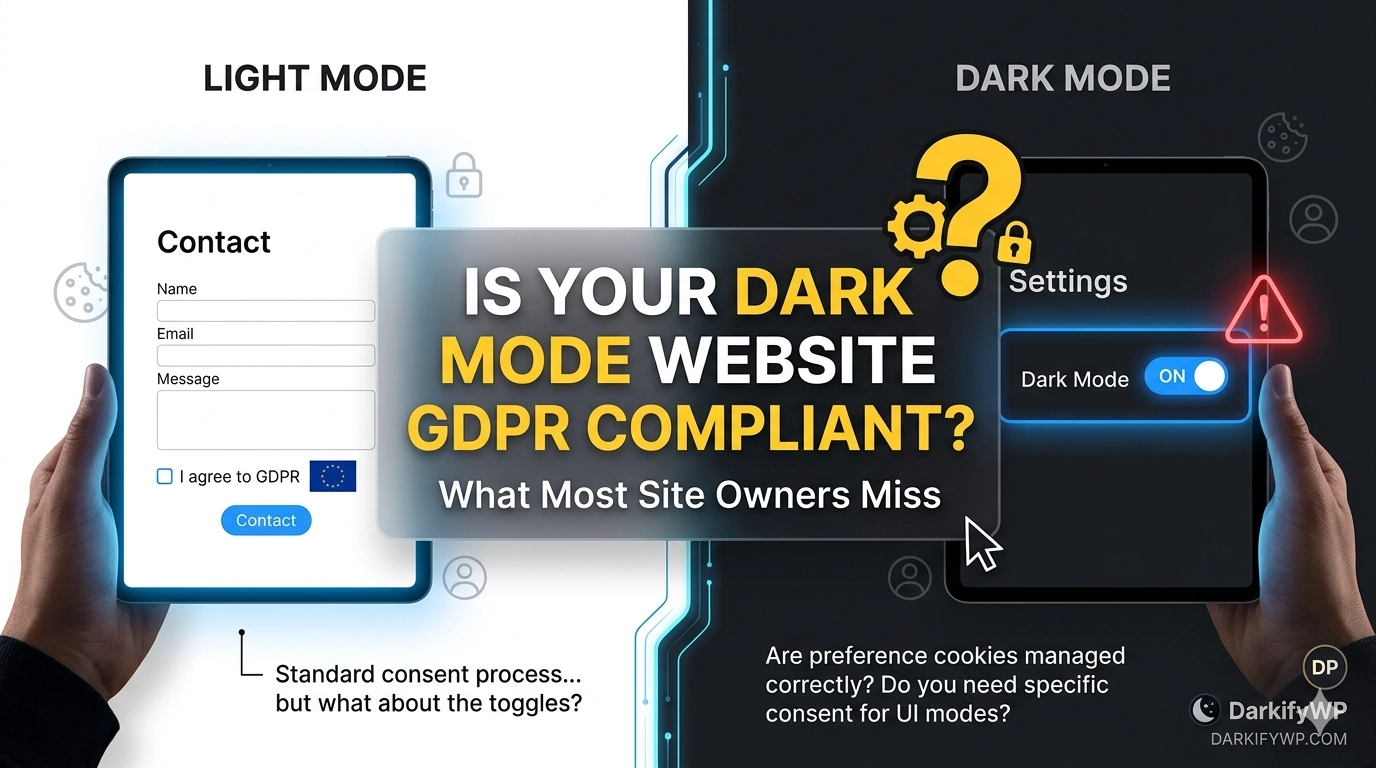
Dark mode isn’t just a design upgrade—it quietly changes how users see and interact with your site. And when it comes to GDPR, visibility is everything.
If your cookie banner blends into a dark background or your consent buttons lack contrast, users may not even realize they have a choice. No visibility = no meaningful consent.
That’s where the risk creeps in. Because under GDPR, consent must be clear, informed, and intentional—not hidden in the shadows of a poorly styled interface.
What Is GDPR, and Does It Apply to You?
The General Data Protection Regulation (GDPR) is an EU privacy law that came into force in May 2018. It governs how organizations collect, store, and use the personal data of EU citizens.
Here’s what most people miss: it doesn’t matter where your business is based. If your website has visitors from the EU, GDPR applies to you.
Personal data isn’t just names and emails. It includes IP addresses, cookie IDs, location data, and behavioral tracking. If you use Google Analytics or even a contact form, you are processing personal data.
The Consequences I Didn’t Expect
1. Massive Financial Penalties
The GDPR’s penalties can be very large. Penalties for serious violations can reach up to €20 million or 4% of your company’s total annual revenue, whichever is greater.
The total amount of GDPR fines has already exceeded €5.88 billion as of early 2025. For example, Meta was fined €1.2 billion for improper data transfers, LinkedIn was fined €310 million, and TikTok was fined €530 million for allowing access from China to EU resident data.
2. Reputational Damage
A single incident of non-compliance can ruin how your customers feel about you and your business forever. People are aware of the potential use of their data and will remember it. The damage to your reputation will outlive the cost of a fine.
3. Processing Bans
Regulators can impose a temporary or permanent stop on your ability to process data; not only can they impose fines, but this can hurt any business that relies heavily on email marketing, analytics or acquiring leads.
It is a serious risk to your business when you discover that you are unable to collect user information during the investigation.
4. Civil Lawsuits
An individual can sue a company for both material and non-material losses caused by data breaches under GDPR. Often, one breach can be the basis for multiple separate claims, potentially exceeding regulatory fines.
The burden of proof required to establish injury is lower than it has historically been.
5. Failure to Report Breaches in Time
If a data breach occurs, you must notify the relevant authority within 72 hours. Missing this window is itself a punishable violation, regardless of how serious the breach was.
Most small website owners have no system in place to even detect a breach in time, let alone report it.
Where Most Websites Fall Short
After auditing my own site, the same gaps kept appearing, and I’ve seen them in dozens of other websites, too.
- Consent for using cookies must be genuinely given, such as through a checkbox or other approved methods. Under GDPR, you cannot place any non-essential cookies without first obtaining clear and informed consent.
- Privacy policies must clearly state what personal data is collected, why it is used, how long it is stored, and with whom it is shared. Using outdated or generic templates may not meet legal requirements.
- Users have the right to access, correct, or request deletion of their personal data, and these requests must be handled within 30 days.
- All third-party vendors handling personal data must have a Data Processing Agreement (DPA) in place.
- You must also maintain a documented legal basis for data collection, such as consent, legitimate interest, or contractual necessity.
- Cookie banners not optimized for dark mode visibility
Finding a Solution: My Experience with WPLP Compliance Platform
After realizing the extent of my gaps, I knew I needed more than a checklist. I needed a real system, one that didn’t require me to become a data privacy lawyer.
That’s when I found WPLP Compliance Platform, and it genuinely changed how I manage compliance on my website.
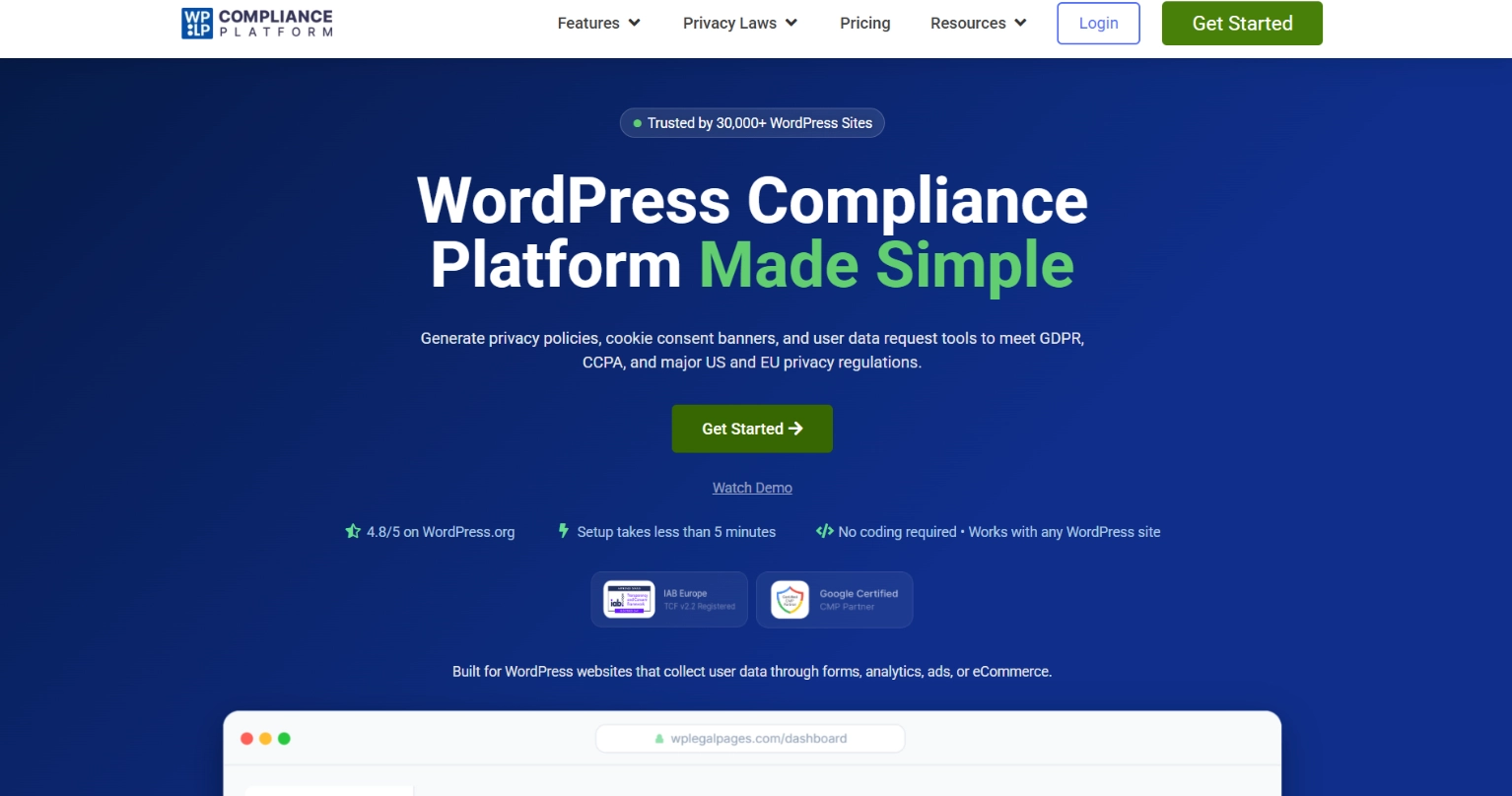
WPLP is more than just a cookie compliance plugin. It is an all-in-one solution for everything related to GDPR compliance, including cookie consent management, privacy policy generation, and data subject access requests (DSARs).
I was surprised at how straightforward the setup process was. The program did an automated scan of my website to identify and catalogue all of the cookies and tracking scripts in use on my site, then helped me configure the consent mechanism to be compliant with the GDPR. I now have real options for users to opt-out of cookies and I have a documented record of all consent provided by users.
The privacy policy generator was a huge relief. The program automatically generates a privacy policy based on my actual data practices. I will no longer have to guess whether my policy is accurate or up-to-date.
Key Features That Make WPLP Stand Out
When you use the WPLP Compliance Platform, you’re getting more than just a template generator. You’re getting a powerful compliance toolkit.
1. Global Law Coverage
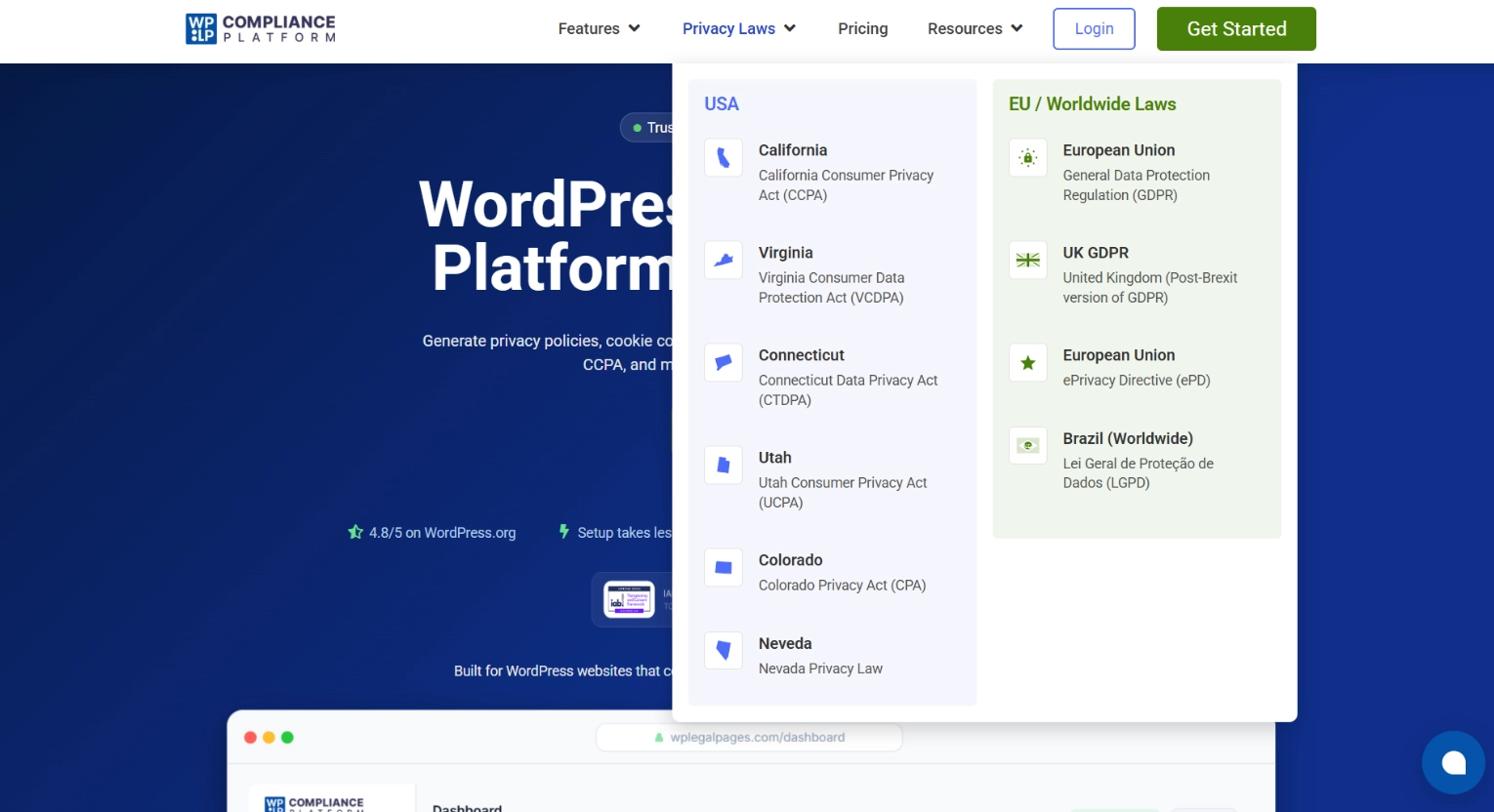
- Compliance issues are more than a matter of complying with a single law; they are also a global concern in today’s world. WPLP excels in this area because it provides coverage of major global privacy laws and frameworks.
- It provides coverage for GDPR, CCPA, LGPD, PECR and PIPEDA, and therefore can be used on websites targeting customers outside their home country.
2. Automated Legal Page Generator
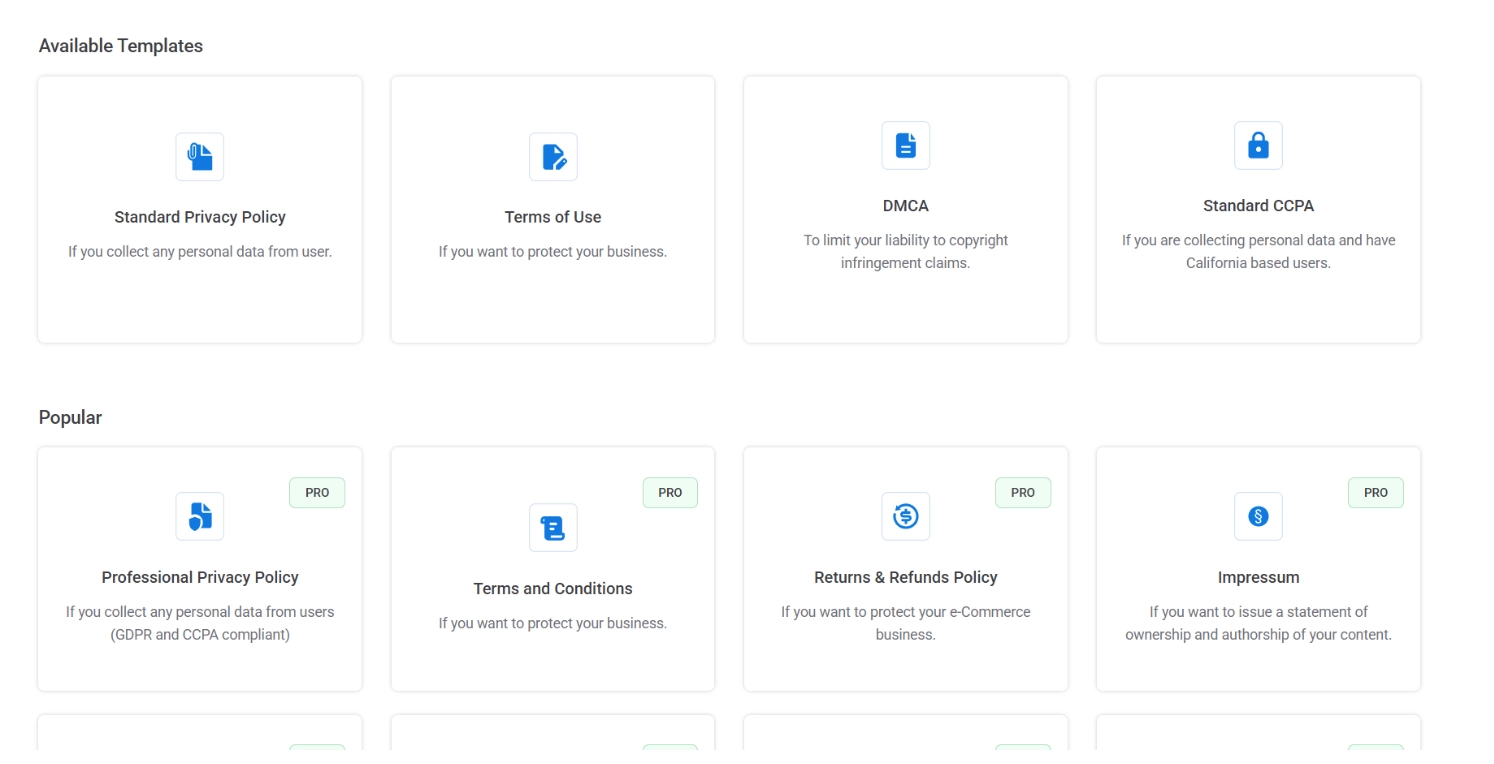
- Creating a legal page usually means hiring a lawyer, but WPLP simplifies the task by providing over 30 legal templates out of the box.
- You answer a quick set of questions about your business, and the platform customizes the legal text accordingly. This ensures your policies are tailored to your business instead of relying on generic templates.
3. Cookie Consent & Management
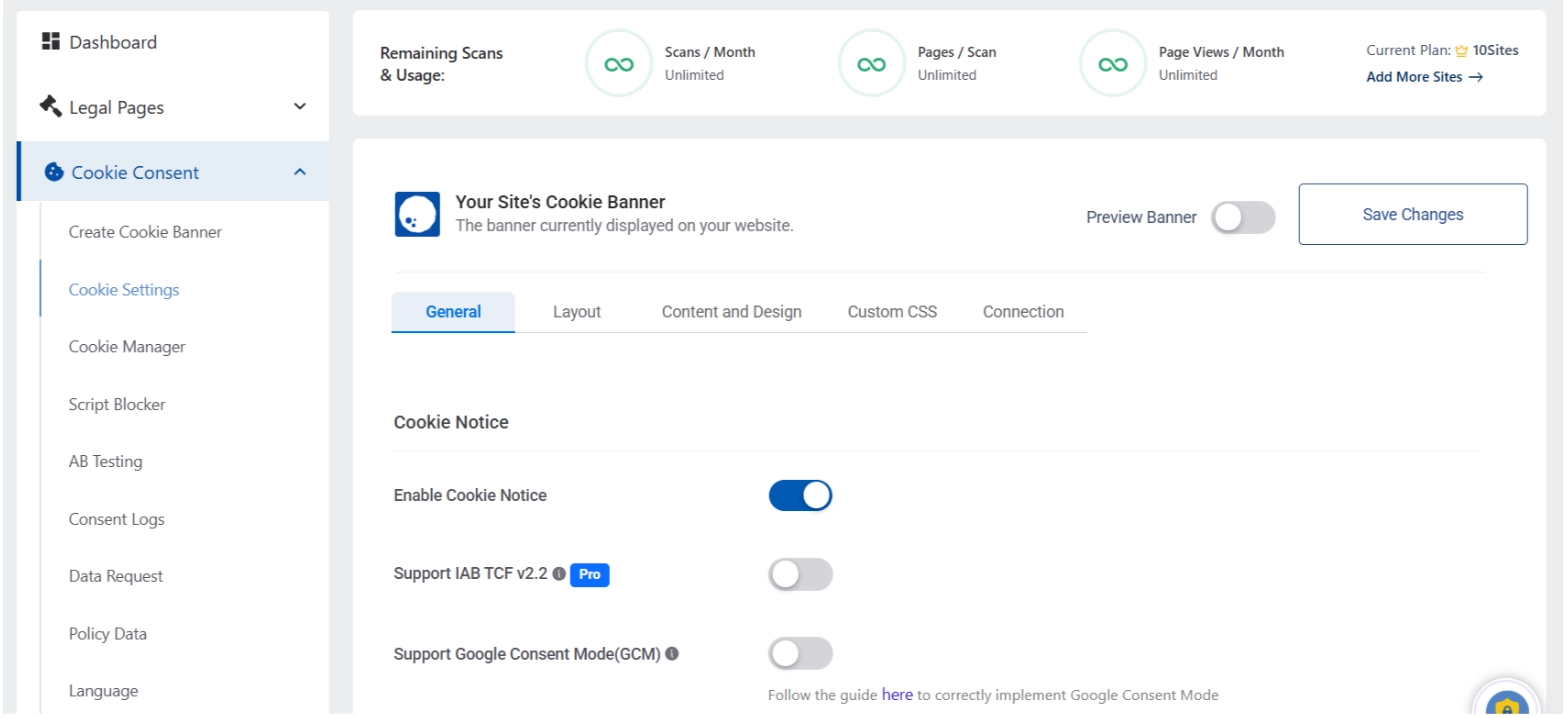
- WPLP provides an easy way to manage cookie consent. Create a compliant, customizable cookie banner that matches your site’s look and feel!
- The cookie scanning feature of WPLP is automatic and will help you scan your website for cookies, classify them into categories to stay compliant, and keep your cookie policy up-to-date.
- WPLP supports Google Consent Mode v2 and provides you with exportable consent logs as well.
4. Data Subject Request Automation
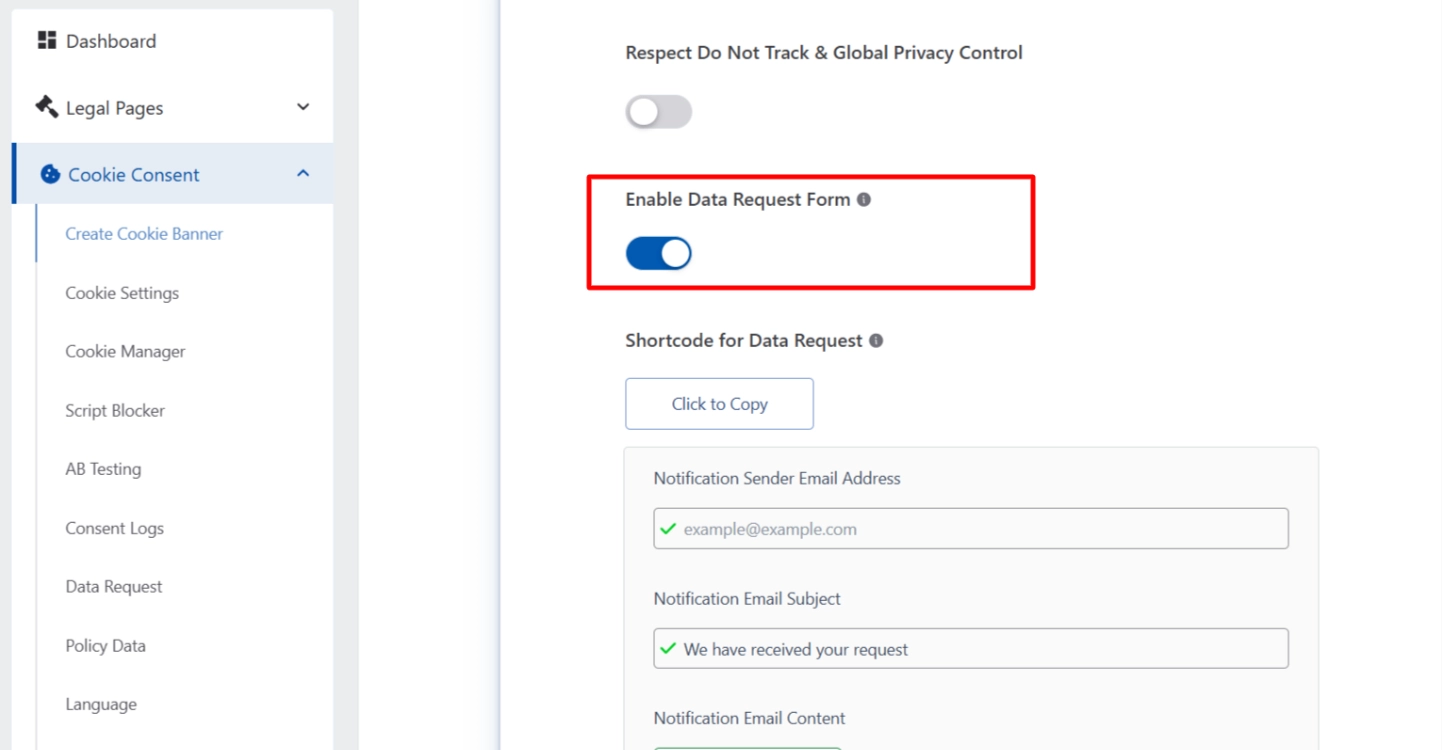
- Under GDPR and CCPA requirements, you must be able to request access to and deletion of any personal information about yourself.
- WPLP helps you automate the process of making these requests through our DSAR Automation feature .
- You will also have access to a dashboard where you can track the status of your requests and manage them in an orderly manner.
Pricing: Surprisingly Affordable Compliance
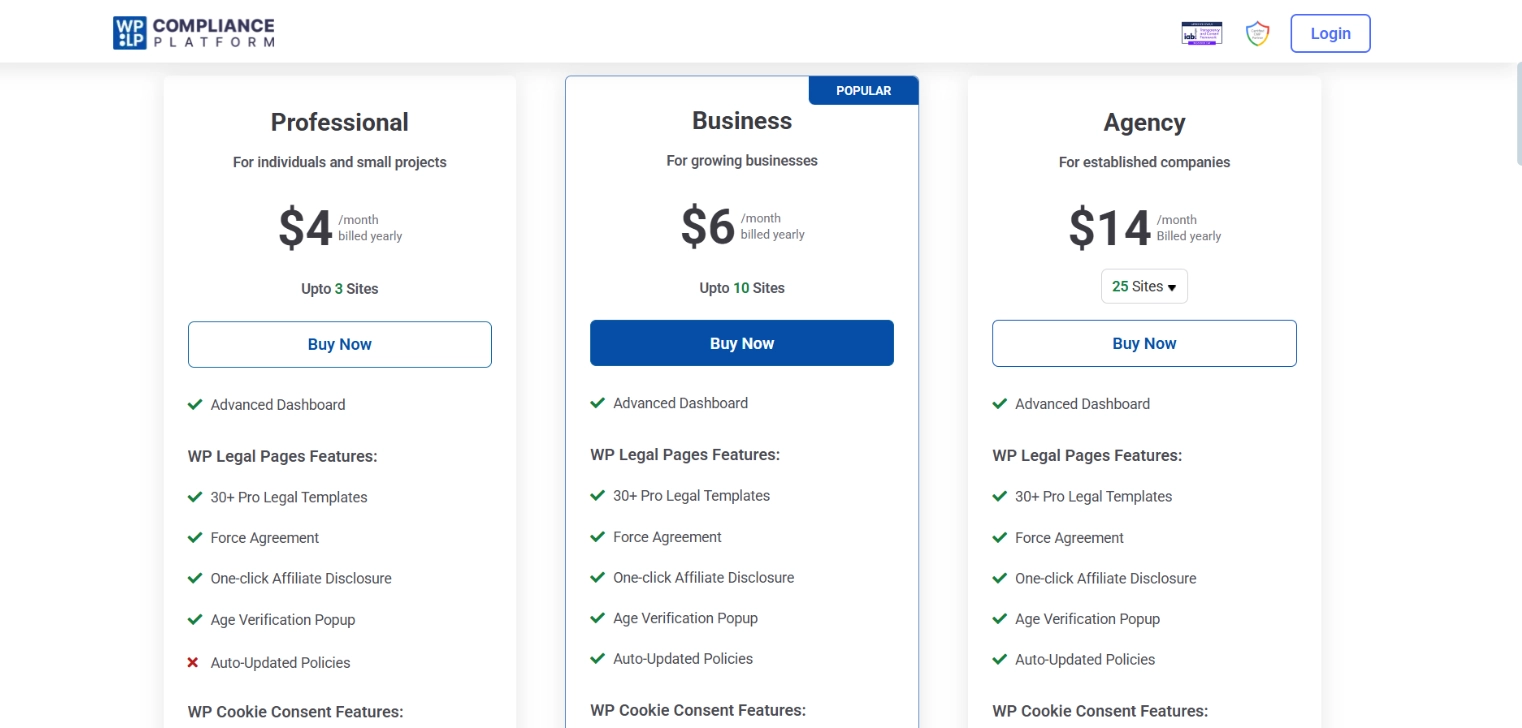
This is one of the platform’s strongest points. The pricing is extremely competitive, with three main tiers all billed annually:
- Professional: Starts at $4/month (billed yearly) for 3 sites.
- Business: The most popular plan at $6/month (billed yearly) for 10 sites.
- Agency: Scales to $14/month (billed yearly) for 25 sites.
Does Using a Dark Mode Plugin Affect GDPR?
Short answer: it depends on how the plugin behaves behind the scenes.
Some dark mode solutions rely on external scripts, third-party services, or tracking mechanisms to function. If that’s the case, they may introduce cookies or data processing activities that fall under GDPR requirements.
On the other hand, lightweight plugins that run locally—without collecting user data or loading external resources—are generally much safer from a compliance perspective.
That’s why it’s important to choose a solution that prioritizes performance and privacy. A well-built dark mode plugin should enhance user experience without adding hidden compliance risks.
Compliance Isn’t Optional – But It Doesn’t Have to Be Overwhelming
One common misconception is that GDPR only applies to large organizations, but that’s not true. Websites of all sizes are being reviewed, and compliance requirements are becoming stricter.
The advantage is that using compliance tools like WPLP Compliance Platform helps manage these requirements, allowing businesses to focus on their operations instead of complex legal processes.
It’s best to implement compliance from the start not just to avoid risks, but to respect user privacy. Becoming compliant early is also more cost-effective than delaying it.
Disclaimer: This article is based on personal experience and is for informational purposes only. It does not constitute legal advice. Please consult a qualified data protection professional for guidance specific to your situation.