
To unlock Darkify Pro’s full functionality, receive automatic updates, and access premium support, you must activate your license key.
Where to Find Your License Key #
After your purchase, you’ll receive a confirmation email at the address you used during checkout. This email includes:
- A download link to the Pro version (expires in 72 hours)
- Your purchase receipt ID
- Your license key
You can also retrieve your license key anytime from your ThemeAtelier Account under Dashboard → Licenses
How to Activate #
- Install and activate the Darkify Pro plugin.
- After activation, you’ll be redirected to the License Activation screen.
📷 Screenshot: License Key Not Activated - Copy your license key from your purchase email or ThemeAtelier account.
- Paste it into the License Key field.
- Click Activate.
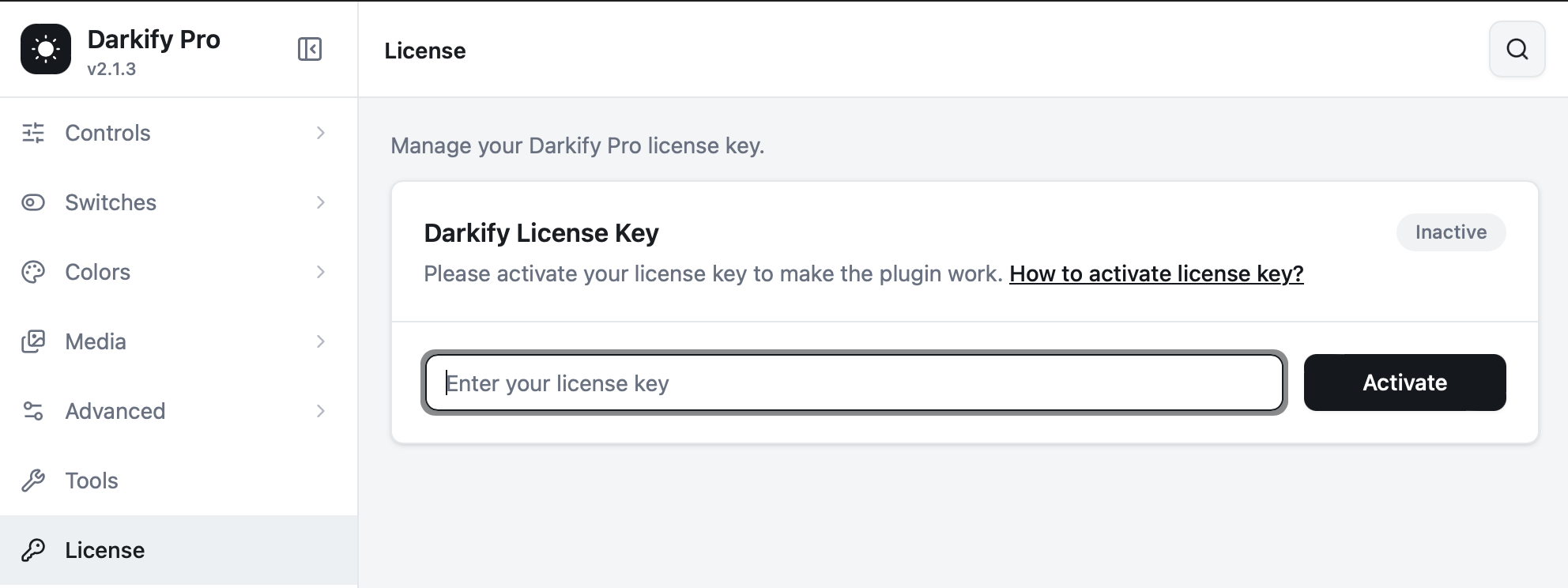
License Key Not Activate: You’ll see the following screen before activating the license.
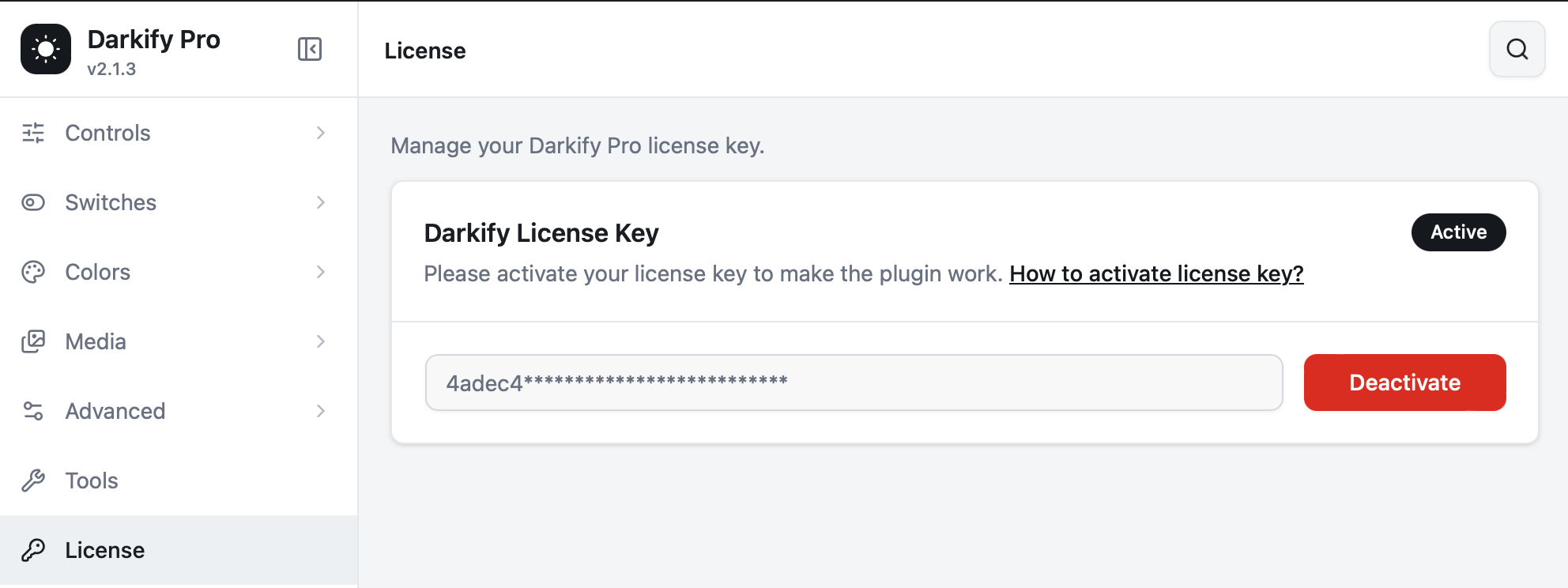
After Activation #
- Your license status will change to Active.
- Automatic plugin updates will be enabled inside your WordPress dashboard.
- You’ll gain access to premium support.
Without activating your license, you won’t receive updates or support for Darkify Pro.


