
Your Darkify Pro license key unlocks Pro features and automatic updates. Activate it once, under Darkify → License, and you are done.
Where to find your license key #
- In your purchase confirmation email.
- In your account at themeatelier.net/account, under Licenses.
Activate the key #
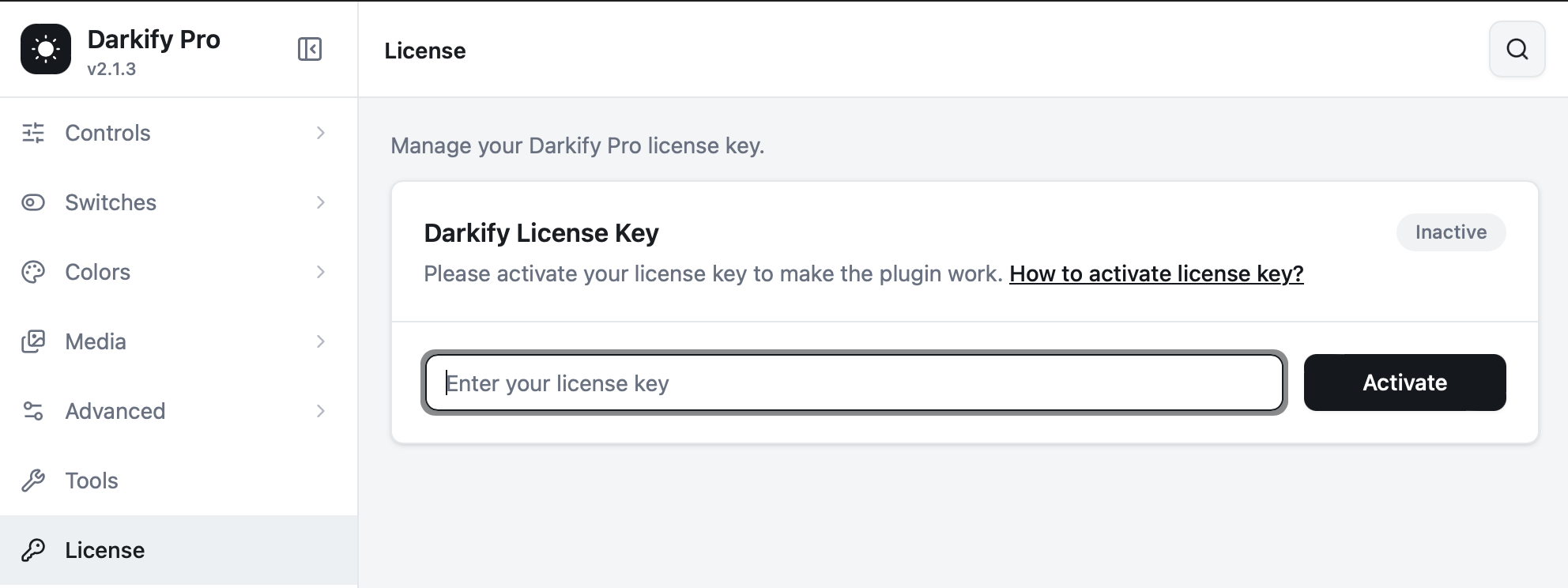
- Go to Darkify → License in your WordPress admin.
- Paste your key into the Enter your license key field.
- Click Activate.
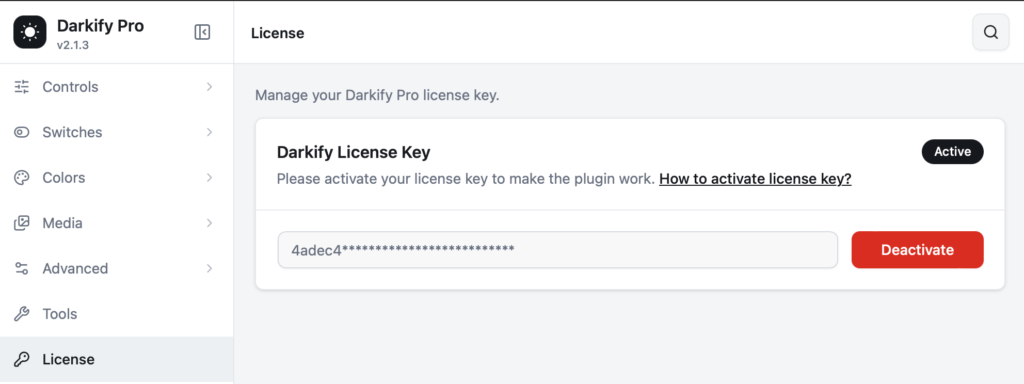
When the key is accepted, the badge switches to Active, your key is masked for safety, and the button becomes Deactivate.
Moving a license to another site #
Each plan covers a set number of activations (1, 5, or unlimited). If you are migrating a site, or you used an activation on a staging install, deactivate it first:
- On the old site, go to Darkify → License and click Deactivate.
- On the new site, paste the same key and click Activate.
Lost access to the old site? You can release an activation yourself from My Account → Licenses, or write to our support team and we will free it for you.
Activation troubleshooting #
| Problem | Likely cause | What to do |
|---|---|---|
| “Invalid license key” | A stray space or a partially copied key. | Copy the key again from your account page and paste it with no spaces. |
| “Activation limit reached” | All seats on your plan are in use. | Deactivate an unused site, or upgrade your plan from My Account. |
| “Could not connect to the licensing server” | Your host blocks outgoing requests. | Ask your host to allow outgoing HTTPS to darkifywp.com. |
| License shows Active but Pro options are missing | A cached admin page. | Hard refresh the settings screen and clear any object cache. |
What the license does and does not do #
The key verifies your purchase so you can receive updates and support. It does not phone home with your content or visitor data, and your site keeps working normally if the key later expires — you simply stop receiving new versions until you renew.


