
Darkify is a WordPress dark mode plugin that adds a real, readable dark theme to your website and your WordPress admin — without touching your theme files or writing a line of CSS. You install it, turn it on, and your site gets a second appearance that visitors can switch to whenever they want.
It is built and maintained by ThemeAtelier, and it comes in two editions: a free version on WordPress.org and Darkify Pro, which adds deeper design control, media handling, per-page rules and priority support.
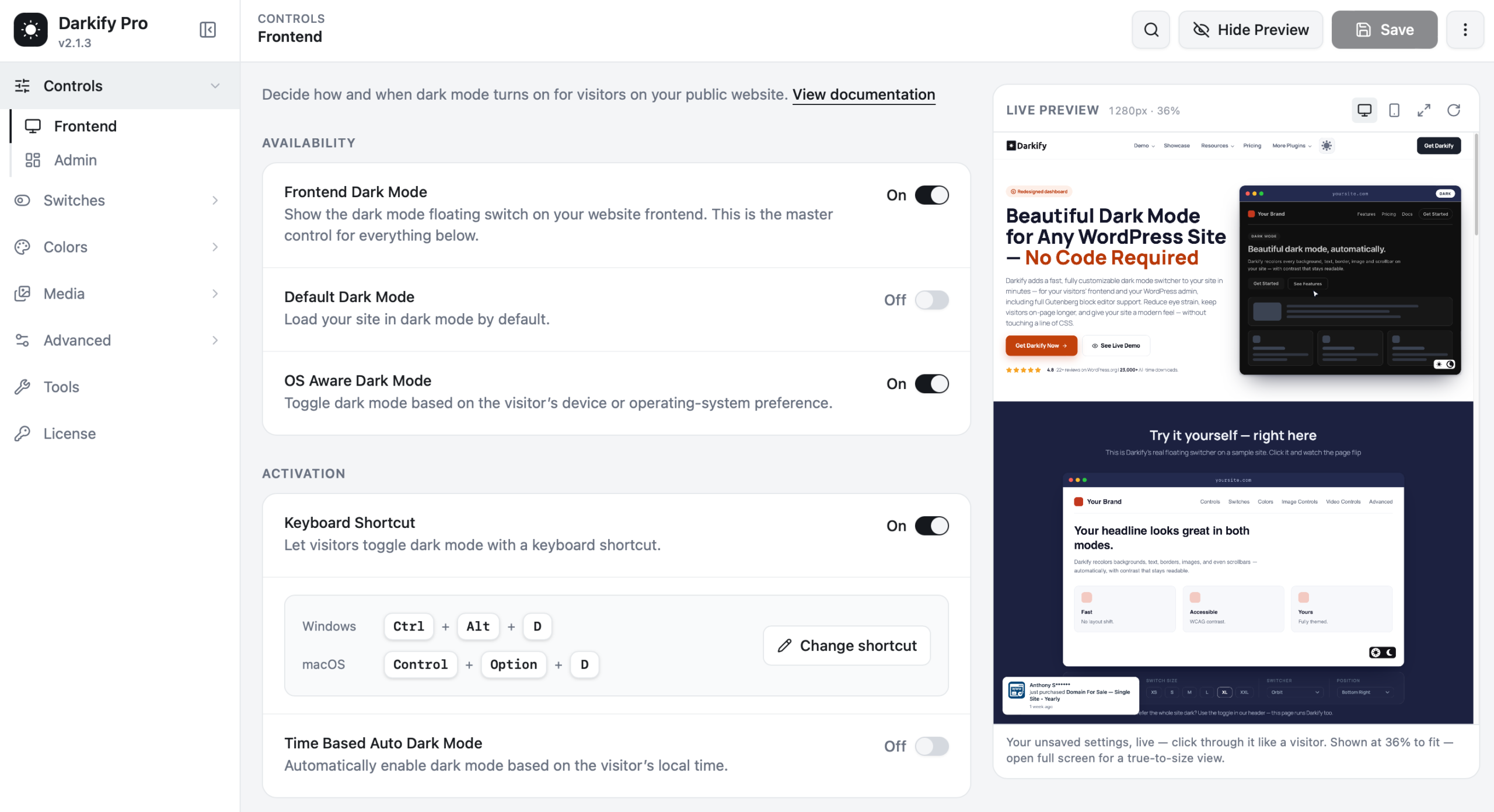
What Darkify actually does #
Most “dark mode” plugins simply invert your colours and hope for the best. Darkify works differently. It reads the colours your theme already renders, then generates a dark palette from them — backgrounds, text, links, borders, buttons, form fields, even the browser scrollbar — while keeping contrast at a level people can still read.
That means:
- No theme editing. Darkify layers on top of whatever theme you run.
- No broken layouts. Spacing, images and structure stay exactly where they were.
- Your brand survives. Logos and brand colours can be pinned so they never get darkened.
Where dark mode can appear #
| Area | What Darkify covers |
|---|---|
| Website frontend | Every public page, post, archive and page-builder layout |
| WordPress admin | The full dashboard, plugin screens and settings pages |
| Block editor (Gutenberg) | A dark writing environment with its own colour preset |
| Classic editor | A dark mode toggle inside the classic editing screen |
How visitors turn it on #
You decide how dark mode is triggered. Darkify supports all of these at once:
- A floating switch that sits in a corner of the screen.
- A switch inside your navigation menu.
- A shortcode you can drop anywhere shortcodes work.
- OS-aware detection — if the visitor’s device is already in dark mode, your site matches it.
- Time-based scheduling — dark after sunset, light during the day.
- A keyboard shortcut (Ctrl + Alt + D by default).
- Your own element — point Darkify at any CSS class or ID and it becomes a toggle.
Visitor choice is remembered. Darkify stores the preference in the visitor’s own browser. Nothing is sent to a third-party server, and no personal data is collected — which keeps you on the right side of GDPR.
Free vs Darkify Pro #
| Feature | Free | Pro |
|---|---|---|
| Frontend dark mode | Yes | Yes |
| Admin + editor dark mode | Yes | Yes |
| OS-aware & time-based switching | Yes | Yes |
| Floating switch designs | 5 | 16 |
| Colour presets | Limited | 11 presets, fully editable |
| Per-colour overrides | — | Yes |
| Image brightness, greyscale, inversion | Basic | Full control + exclusions |
| Replace images & videos in dark mode | — | Yes |
| Dark-mode-only custom CSS | — | Yes |
| Per-page / per-post rules | — | Yes |
| Draggable switch position | — | Yes |
| Menu switches (multiple menus) | — | Yes |
| Priority support | Forum | Ticket support |
Who Darkify is for #
If your visitors read long articles, browse at night, or spend real time on your pages, dark mode is a comfort feature — not a gimmick. Blogs, documentation sites, news publications, SaaS marketing sites, WooCommerce stores and agency portfolios all benefit from giving people a choice.
And if you spend your working day inside wp-admin, the admin dark mode alone is worth the install.


