
A bright white scrollbar down the edge of a dark page is the detail that gives away a half-finished dark mode. Darkify styles it for you.
Find it at Darkify → Colors → Scroll Bar.
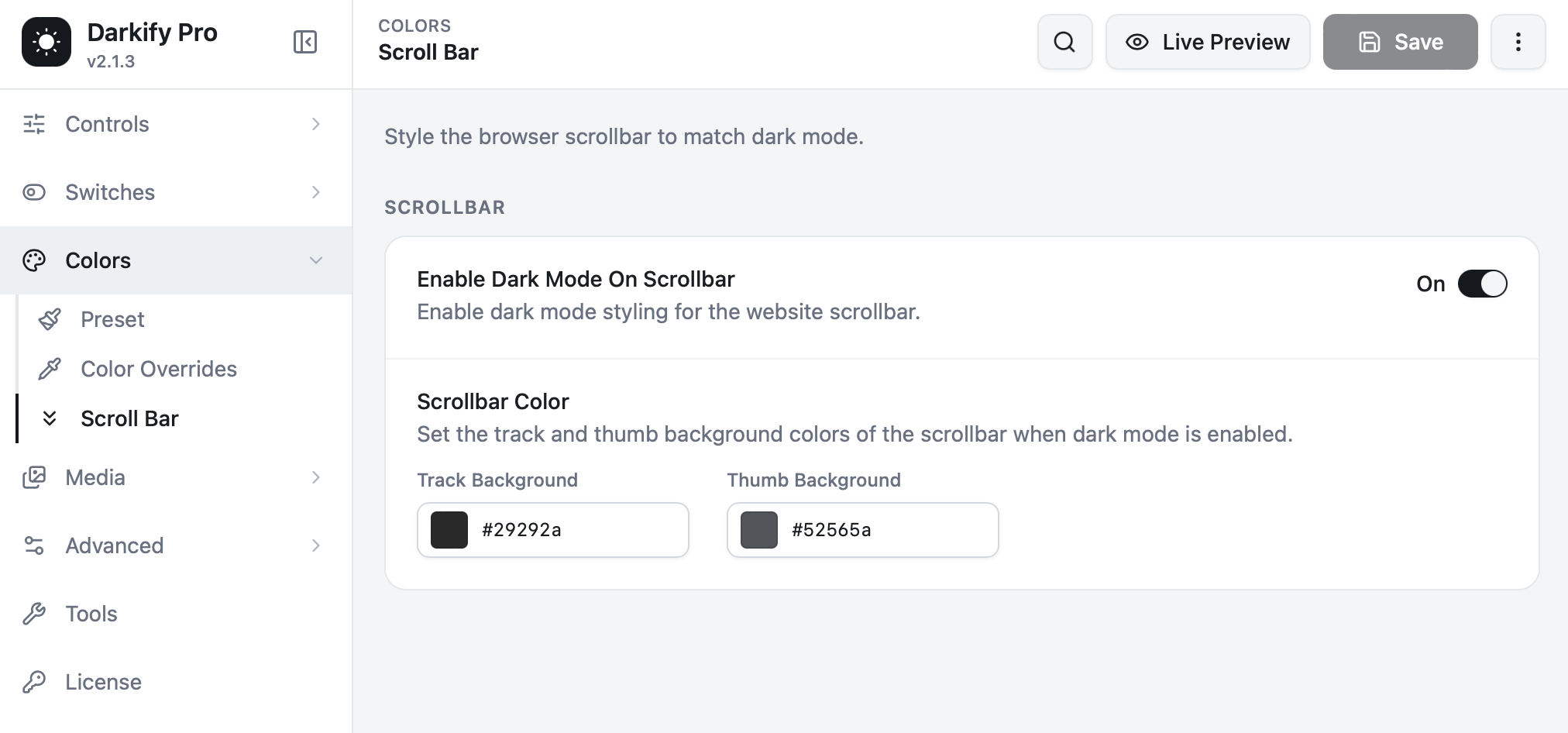
Enable Dark Mode On Scrollbar #
On by default. When active, the browser scrollbar is restyled whenever dark mode is on, and returns to its normal appearance in light mode.
Scrollbar Color #
- Track Background — the channel the scrollbar runs in. Keep it close to your primary background so it recedes.
- Thumb Background — the draggable handle. Make it noticeably lighter than the track so it stays easy to grab.
The defaults, #29292a for the track and #52565a for the thumb, give a comfortable amount of separation on most dark palettes.
Keep the thumb visible. A handle that blends into the track is hard to use, especially for anyone with low vision. Aim for a clear step in brightness between the two values.
Browser behaviour #
Chrome, Edge, Safari, Opera and Brave render these colours directly. Firefox applies them through its own scrollbar colour support, which produces a slightly thinner bar — expected, and not a fault. On macOS, scrollbars only appear while scrolling unless the system is set to always show them.
Mobile browsers generally hide scrollbars altogether, so this setting has no visible effect on phones.
Scrollbars inside elements #
The styling also applies to inner scroll areas — code blocks, tables with horizontal overflow, scrollable sidebars — so nothing is left with a stray light-coloured bar.


